StudioBinder Alternative
Which App Fits Your Production?
Our features
CineFlo vs StudioBinder: Which Production App Is Worth It?
Short answer: StudioBinder is the established browser-based production suite, and it has a screenwriting editor and agency-scale workflows that CineFlo does not. CineFlo is built mobile-first, works offline, includes a real production budget, and costs $59.99 a year against StudioBinder’s per-seat tiers. If you run a slate from a desk with a team of writers and coordinators, StudioBinder is a serious tool. If you are a filmmaker who works on set, CineFlo is built for where you actually are.
Plans and pricing
CineFlo vs StudioBinder
StudioBinder is the established browser suite, with screenwriting tools CineFlo does not have. CineFlo runs natively on your phone, works offline, includes a real production budget, and costs a fraction as much.
CineFlo Pro
Everything for prep, shoot, and wrap, on mobile, desktop, and web.
$7.99 / mo $59.99 billed yearly · collaborators included · free plan available
StudioBinder Indie
Their most popular tier. Starter is $29, Professional is $99.
$49 / mo Billed monthly · 2 users · save 15% yearly · free plan available
| Plans and cost What you pay, and what you get for it. | ||
|---|---|---|
| Free plan | One project, unlimited scenes and shots, every feature unlocked, and call sheets you can send to your crew | Free forever, but capped at 10 shots, 10 contacts, 5 locations, 10 tagged elements, and half a screenplay; call sheets send only to yourself |
| Paid tiers | $7.99/mo · $59.99/yrOne tier, everything included | Starter $29, Indie $49, Professional $99 per monthSeparate Agency and Studio tiers for organizations |
| Users included | Collaborators included at no extra cost | 1 on Starter, 2 on Indie, 4 on Professional; extra seats billed per user per month |
| Media storage | 1 GB free · 5 GB Pro | 50 / 75 / 100 GB by tier |
| Where it runs Prep happens at a desk. Shooting does not. | ||
| Native mobile apps | iPhone, iPad, Android, and Mac | None. Browser only, though call sheets view well on a phone |
| Web app | Full browser client at app.cineflo.com | The entire platform is browser based |
| Offline use | Offline-first with a write queue, syncs when you reconnect | Requires a connection |
| Script and planning Getting from a screenplay to a shooting schedule. | ||
| Screenwriting | Import only. No editor | Full editor with auto-formatting, WGA colour revisions, versions, outlines, and AV scripts |
| Script breakdown | 15 element categories, master element library, revision-safe re-import with OMITTED and A/B numbering | Unlimited breakdowns and reports; advanced breakdowns from Indie up |
| Shooting schedule | Stripboard and calendar views at scene and shot granularity | Stripboard scheduler, one-liners, DOOD, sides; multiple schedules on Professional |
| Shot lists | Scene and shot hierarchy with four-status tracking | Unlimited lists with a script-driven shot tagger; shot list scheduling on Professional only |
| Storyboards and references | Reference images per shot, plus sharing a frame in from ShotDeck, a browser, or Photos | Unlimited storyboards and lookbooks with a tagger and image editor |
| Tasks and calendars | To-do lists with owners, due dates, and department sub-lists | Kanban boards, checklists, production calendars with dependencies and templates |
| On set The shoot day itself, and the paperwork around it. | ||
| Call sheets | Email delivery with weather, production breaks, and confirmed receipt tracking, on every plan | Builder on all tiers; advanced builder and tracking from Indie, templates and recipient messaging on Professional |
| Confirmation tracking | Included, even on the free plan | Requires Indie at $49/mo; not available on Starter |
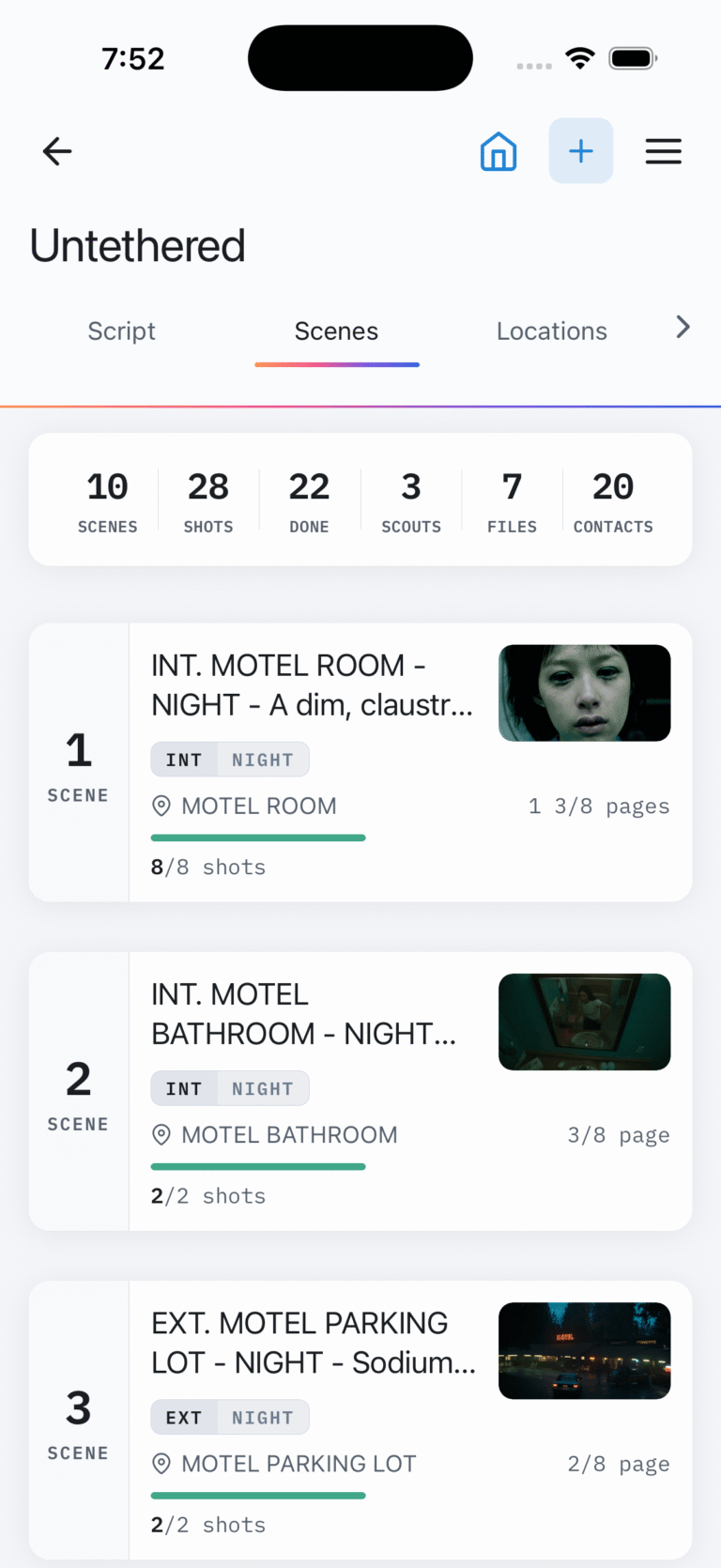
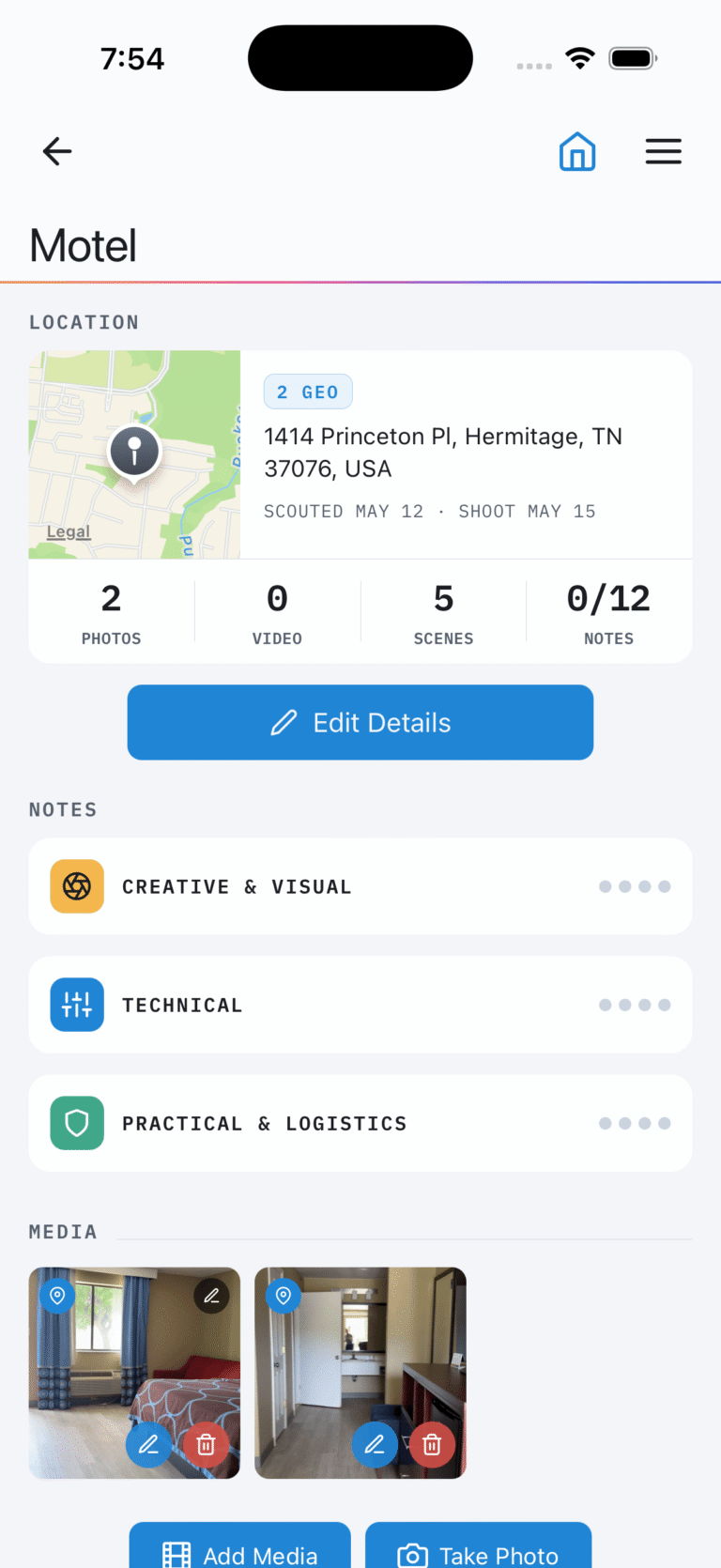
| Location work | Scouting with photo and video capture, map context, weather, and vector sketch overlays | Location records with contacts, scouting notes, lookbooks, and approvals |
| On-set timecode | Reads live SMPTE timecode from Tentacle Sync generators over Bluetooth and stamps it onto a completed take | Not available |
| Overhead diagrams | 550+ production asset icons for camera, lighting, and grip blocking | Not available |
| Cinematography tools | Depth of field, exposure, lighting ratio, diopter, focal length, aspect ratio | Not available |
| Money Tracking what the production actually costs. | ||
| Production budget | 19 EP-standard accounts, PO log, actuals, stacked fringes, live top sheet, weekly cash flow, PDF cost report | Not available on any tier |
CineFlo verified August 2026 against version 1.17.0. StudioBinder pricing and features from its published pricing page, August 2026. StudioBinder is not affiliated with CineFlo or Neon Media LLC.
StudioBinder free gives you one project capped at 10 shots, 10 contacts, 5 locations, 10 storyboards, 10 mood boards, 10 tagged breakdown elements, 10 tasks, and 10 scenes on the stripboard. You can import half a screenplay. Call sheets can only be sent to yourself.
CineFlo free gives you one project with unlimited scenes and shots and every feature unlocked, including script breakdown, production budget, scheduling, location scouts, overhead diagrams, and call sheets you can actually email to your crew.
StudioBinder’s free tier is a guided tour. CineFlo’s free tier will get a short film shot. That is not a small distinction if you are choosing where to start.
StudioBinder
Where StudioBinder Wins
A real screenwriting editor. Industry formatting, WGA-standard colour revisions, version history, split-screen outlining, AV scripts, and real-time collaboration. CineFlo imports scripts but does not let you write one. If your workflow starts with writing, StudioBinder keeps it all in one account.
Deeper call sheet customization. Extra grids for atmosphere, extras, and advance schedules, styling and colour control, reusable templates, private per-recipient notes, and a shared outbox for production announcements. CineFlo’s call sheet is clean and industry standard, but less configurable.
Task and calendar management at team scale. Kanban boards, checklists, multiple production calendars with groups, dependencies, and templates. CineFlo has to-do lists with owners, due dates, and department sub-lists, which is a smaller tool for a smaller crew.
Storage. 50 GB on Starter, 75 GB on Indie, and 100 GB on Professional, against CineFlo’s 1 GB free and 5 GB on Pro. If you are storing heavy reference media, that gap is real.
Maturity and team size. StudioBinder has been running since 2014 with the seat structure, admin controls, and multi-project company accounts that production companies and agencies need.
CineFlo details verified August 2026 against version 1.17.0. StudioBinder details from its published support documentation, August 2026. StudioBinder is not affiliated with CineFlo or Neon Media LLC.
CineFlo
Where CineFlo Wins
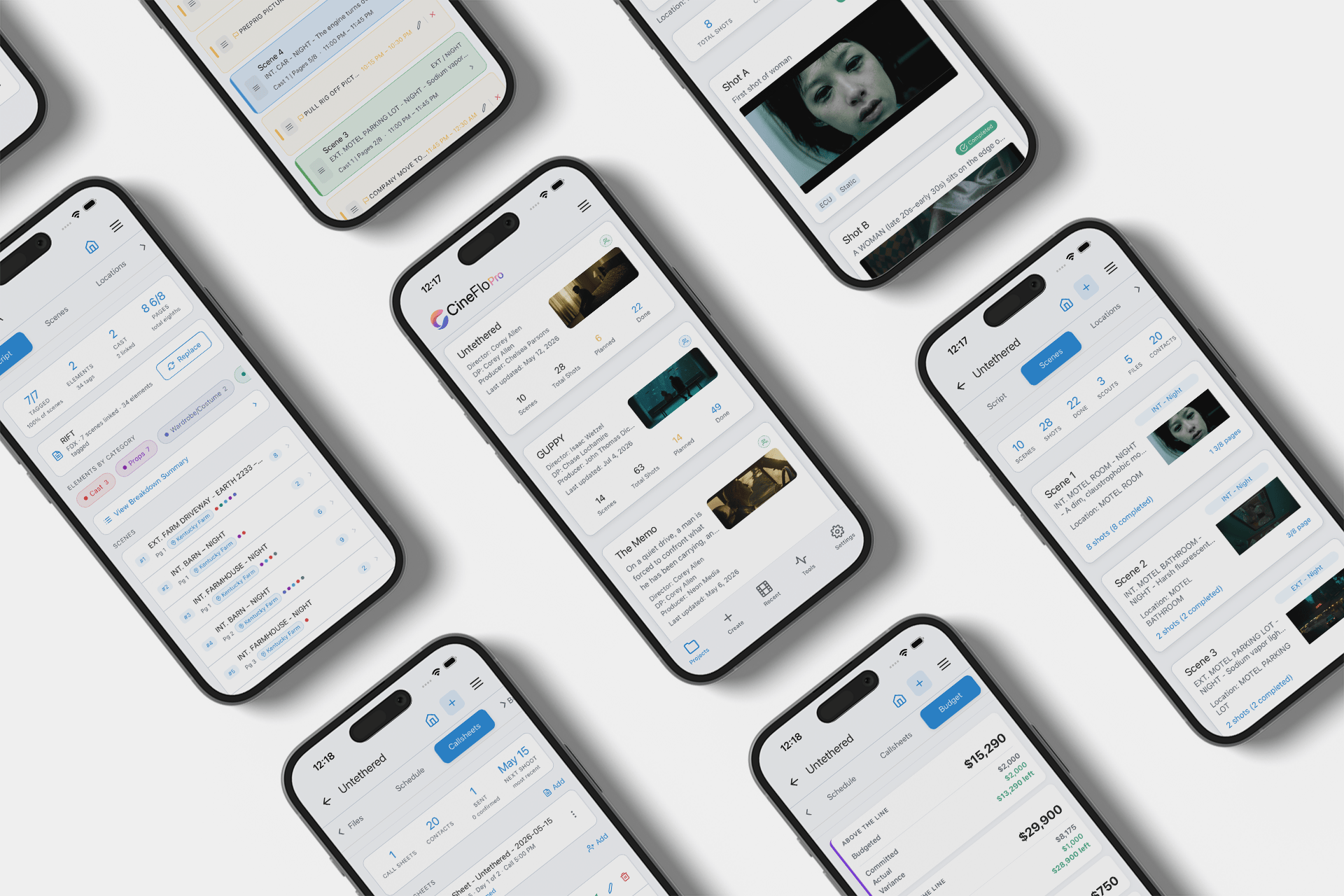
It runs on your phone. StudioBinder has no native mobile app. It is a browser platform that displays well on a phone, mainly for crew receiving a call sheet. CineFlo is a native app on iPhone, iPad, Android, and Mac, plus a full browser client. On set, in a scout van, or on a location with one bar, that difference is the whole experience.
It works offline. CineFlo is offline-first with a write queue that syncs when you reconnect. StudioBinder needs a connection. Location scouting and shooting both happen where there is no signal.
Price, and how price scales. CineFlo is $7.99 a month or $59.99 a year with collaborators included and no per-seat charge. StudioBinder runs $29 a month for Starter with a single user, $49 for Indie with two, and $99 for Professional with four, and extra seats are billed per user on top. Even their cheapest paid tier costs roughly five times what CineFlo does per year, for one user.
Confirmation tracking is not a premium feature. On StudioBinder, call sheet tracking and analytics start at the Indie tier, so a filmmaker paying $29 a month on Starter can build and send a call sheet but cannot see who confirmed. CineFlo tracks confirmed receipt on every plan, including the free one.
A production budget. Nineteen EP-numbered accounts across ATL, BTL, Post, and Other, a PO log with actuals, stacking fringe presets for FICA, SAG, DGA, and IATSE, a live top sheet showing Budget, Committed, Actual, and Variance, weekly cash flow, and a PDF cost report. StudioBinder has no budgeting on any tier. Its feature matrix runs from screenplays through call sheets and location management, and budgeting appears nowhere in it. On StudioBinder, tracking what the production costs means a spreadsheet or Movie Magic.
Cinematography tools. Depth of field, exposure, lighting ratio, diopter, focal length finder, and aspect ratio reference, in the same app as the shot list. StudioBinder is a production management platform, not a DP’s tool.
On-set timecode. CineFlo reads live SMPTE timecode broadcast by a Tentacle Sync generator over Bluetooth and stamps it onto a take when you mark the shot complete, storing frame rate and drop-frame alongside it. Editorial gets a real reference to conform against. Nothing else in this category does it.
Overhead diagrams. Camera, lighting, and grip blocking with 550+ production asset icons. StudioBinder does not offer them.
Editing rights without a price jump. On CineFlo, collaborators can be viewers or editors with per-tab permissions, included. On StudioBinder, collaborators can view or comment, and editing requires the Professional plan.
Which one is right for you?
Which One Should You Choose?
Choose StudioBinder if you write as well as produce, you run several projects across a company or agency, you need per-seat admin structure and heavy media storage, and your team works at desks with reliable internet.
Choose CineFlo if you are a director, DP, or producer who works on set, you want the app in your pocket to be the real app, you need it to work without signal, you want budgeting and cinematography tools included, and you would rather spend $59.99 a year than $29 a month for a single seat.
A note on switching: you can import a Final Draft, Fountain, or PDF screenplay into CineFlo to rebuild a project quickly, and there is a free Excel shot list template that imports directly.
FAQs
Common questions
Whether you’re planning films, commercials, music videos, or branded content, here are the most common questions filmmakers ask about using CineFlo to streamline their production process.
No. StudioBinder is browser based with no dedicated mobile app, though call sheets and schedules display well on a phone browser. CineFlo has native apps for iPhone, iPad, Android, and Mac plus a full browser client.
One project with hard caps: 10 shots, 10 contacts, 5 locations, 10 storyboards, 10 mood boards, 10 tagged elements, 10 tasks, 10 stripboard scenes, and half a screenplay import. Call sheets can only be sent to yourself. CineFlo's free plan is one project with unlimited scenes and shots, every feature unlocked, and call sheets you can send to your crew.
CineFlo, substantially. $7.99 a month or $59.99 a year with collaborators included. StudioBinder is $29 a month for Starter with one user, $49 for Indie with two, and $99 for Professional with four, plus per-user charges beyond that. A year of StudioBinder Starter costs more than five years of CineFlo Pro.
CineFlo yes, StudioBinder no. CineFlo is offline-first and queues writes until you reconnect.
No. StudioBinder has no budgeting feature on any tier. CineFlo includes a full production budget with EP-standard accounts, PO tracking, fringes, cash flow, and cost reports.
Only from the Indie tier at $49 a month. The Starter tier at $29 builds and sends call sheets but has no tracking or analytics. CineFlo tracks confirmed receipt on every plan including the free one.
No. CineFlo imports Final Draft, Fountain, and PDF screenplays and breaks them down, but has no screenwriting editor. StudioBinder does, and it is one of its genuine strengths.
The Shot List, Call Sheet Generator & Film Production App — Free to Download