CineFlo Pro
Everything for prep, shoot, and wrap, on mobile, desktop, and web.
$7.99 / mo
$59.99 billed yearly · no crew or day limits · free plan available
Home / Compare / SetHero Alternative
Which Production App Fits Your Needs?
Short answer: SetHero is one of the best call sheet tools ever built, and if the call sheet is the job, it is very hard to beat. CineFlo treats the call sheet as one tool inside a full production workspace that also covers shot lists, script breakdown, scheduling, scouting, and budgeting, on native apps and in the browser. The real question is not which is better. It is whether you need a specialist or a workspace.
Everything for prep, shoot, and wrap, on mobile, desktop, and web.
$7.99 / mo
$59.99 billed yearly · no crew or day limits · free plan available
Entry tier. Pro is $49 and Studio is $129 per month.
$19 / mo
Save 25% yearly · 30 people and 4 days per project · no free plan
| Feature | CineFlo | SetHero |
|---|---|---|
| Plans and costWhat you pay, and what the plan lets you shoot. | ||
| Free plan | One project with every feature unlocked, including sending call sheets to your crew | No ongoing free plan. Your first project is free, up to 75 cast and crew and 5 shooting days, and students are free |
| Paid tiers | $7.99/mo · $59.99/yr · One tier, everything included | Starter $19, Pro $49, Studio $129 per month · Price also scales with projects per year; Enterprise on request |
| Crew size limit | No limit on any plan | 30 people on Starter, 65 on Pro, 125 on Studio, per project |
| Shooting days per project | No limit on any plan | 4 days on Starter, 8 on Pro, 12 on Studio |
| Custom branding | Your logo on every generated document, on Pro | From the Pro tier up, with white label on Enterprise |
| Where it runsPrep happens at a desk. Shooting does not. | ||
| Platforms | Native apps for iPhone, iPad, Android, and Mac, plus a browser client | Web based, with mobile-optimized call sheet viewing for recipients |
| Offline use | Offline-first with a write queue, syncs when you reconnect | Requires a connection |
| AI assistants | Connected Apps, on Pro: Claude, ChatGPT and other assistants read and edit your projects, with access set per project and per tab | Smart Assist fills in weather and flags overtime and mistyped times; no outside assistant access |
| Call sheetsSetHero's home ground, and it shows. | ||
| Builder | Fills itself from the shoot day on the stripboard: crew call, scenes with their filming locations, cast, meal and wrap. Crew in seniority order, weather, production breaks and hospital, and it flags what is still missing | Drag-and-drop editor with reorderable and hideable sections, page break control, watermarks, personal call times and department precalls |
| Delivery | Email with the PDF attached, and a preview of exactly what each person will get. Pro adds call times by text to people who have agreed to texts, a message for everyone, private per-person notes, and maps, photos and PDFs attached to the email | Email, SMS text message on every tier, and PDF, with an email preview and file attachments; per-recipient messages listed as coming soon |
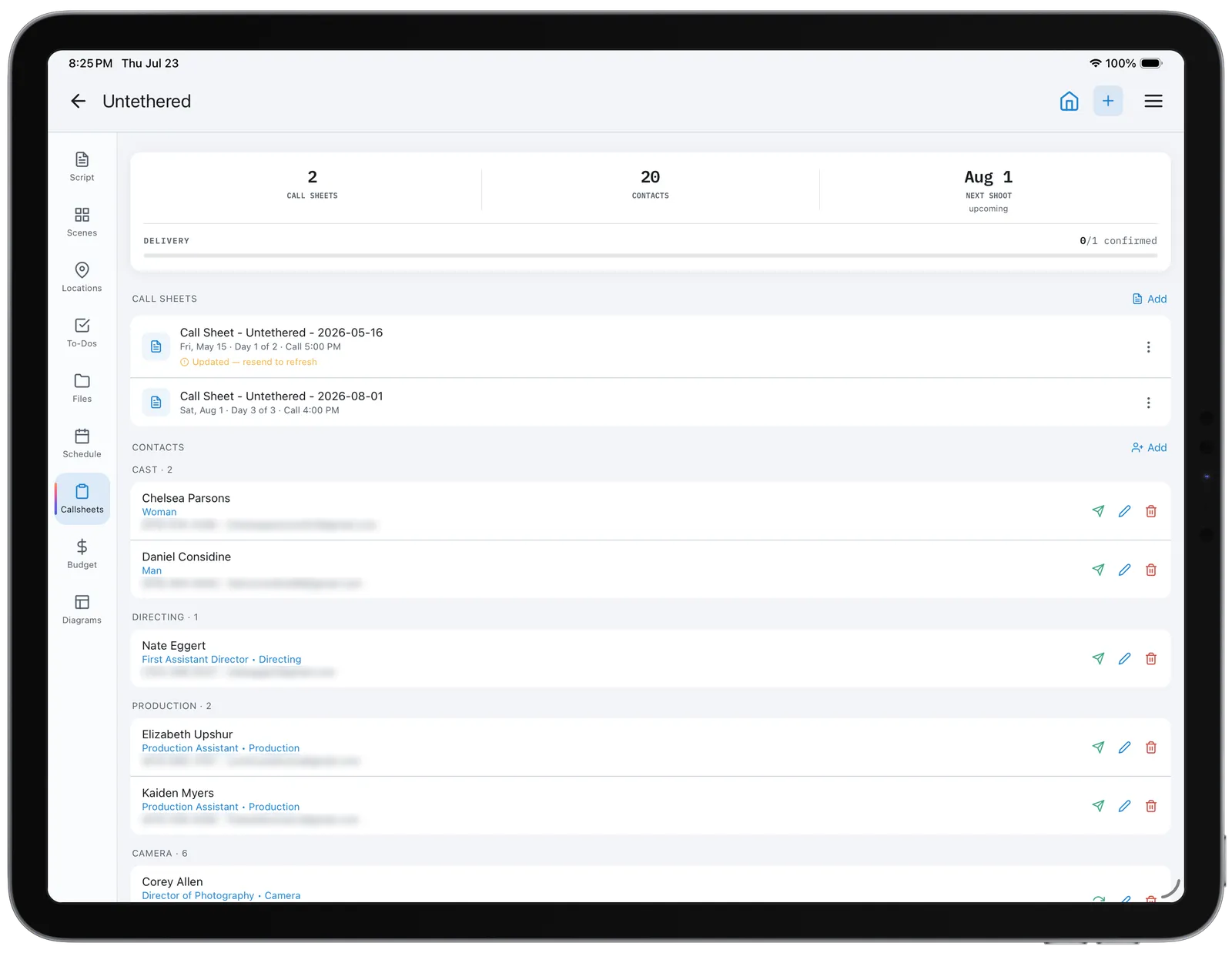
| Tracking | Each person moves from Sent to Delivered to Confirmed, whether they confirm from the email, the link or a CONFIRM reply to a text, and the send results name anyone a message could not reach. Confirm links open a page with a Confirm button, so email security scanners cannot confirm for someone | View counts, confirmations, bounce alerts and one-click resend; automatic follow-ups and delivery reports listed as coming soon |
| Production reports | Daily production report, camera report, continuity log, contact sheet and wrap report, built from the schedule and breakdown | Daily production reports generated from the call sheet |
| Contact management | Global contacts reusable across projects, with per-project cast numbers and roles | Central database shared across projects, with editable departments and positions |
| Everything before the call sheetA call sheet is downstream of a schedule, a breakdown, and a script. | ||
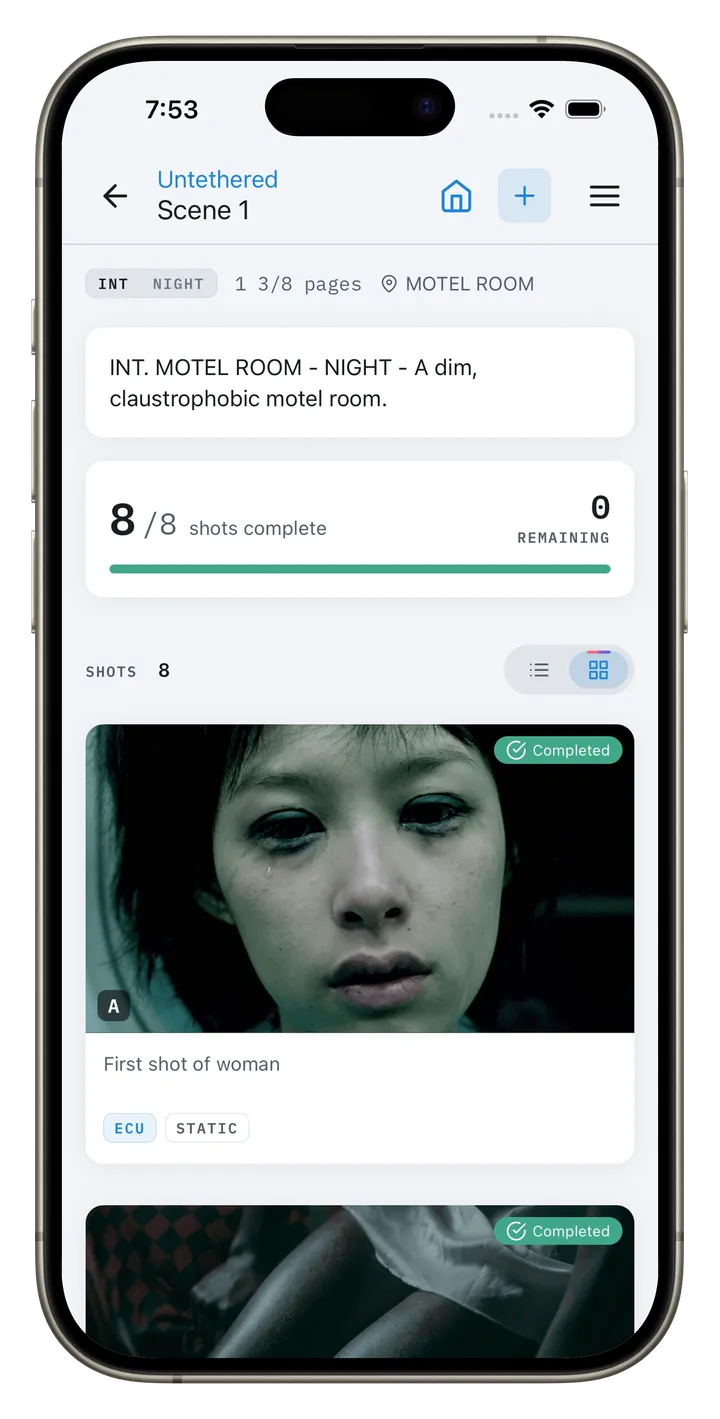
| Shot lists | Scene and shot hierarchy with four-status tracking | Not available |
| Storyboards and references | Reference images per shot, plus mood boards for the film, a location or a character. Cards hold images, notes, links and palettes, and a board exports as a lookbook PDF in two themes. Frames share in from ShotDeck, a browser or Photos | Not available |
| Script breakdown | Import Final Draft, Fountain, or PDF and tag 15 element categories, with Day Out of Days and Sides | No native breakdown; imports one from Scriptation |
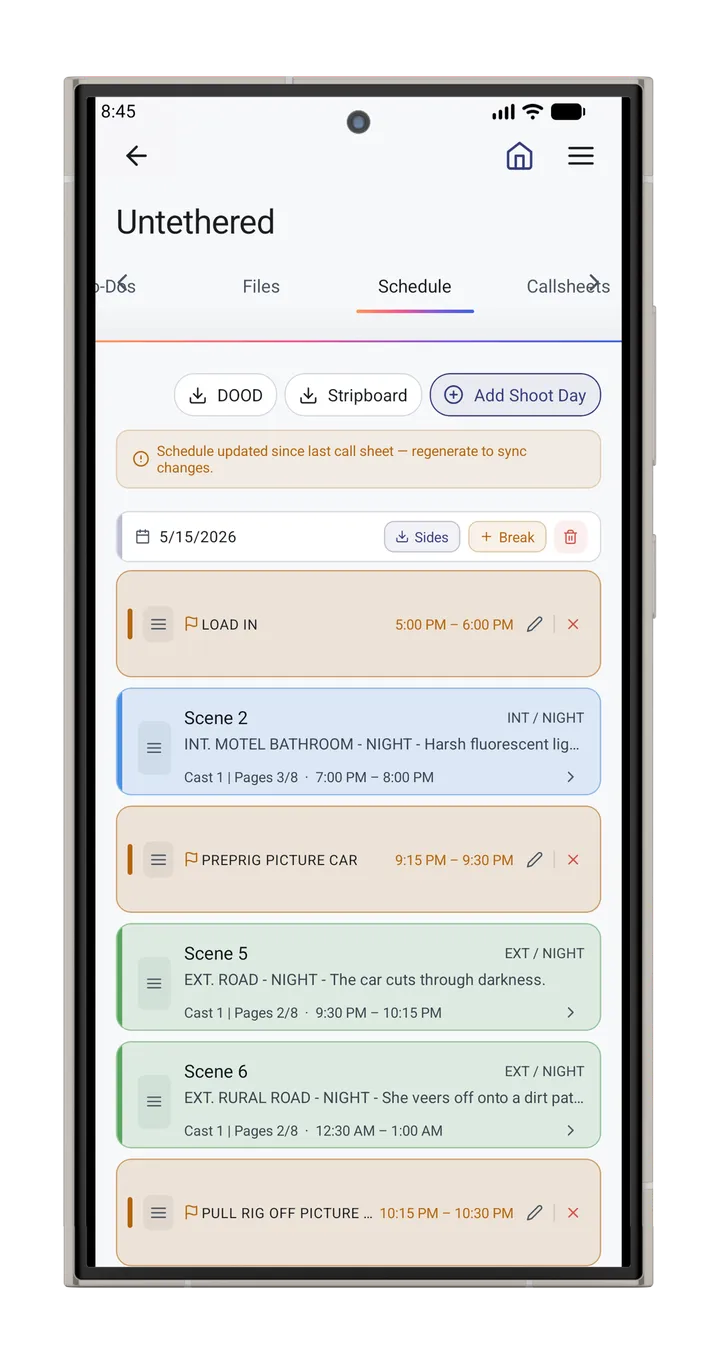
| Shooting schedule | Stripboard and calendar views built into the app; a scene can split across shoot days, and strip times follow the crew call | No native scheduler; exports Movie Magic Scheduling data to Excel |
| Location scouting | Photo and video capture, map context, weather, sketch overlays, named locations linked to scenes | Not available |
| Production budget | 21 EP-standard accounts, PO log, actuals, fringes, live top sheet, cost report | Not available |
| Lighting and set diagrams | 163 vector items, including Aputure, Godox and Astera fixtures at their published sizes, with beam angles, camera field of view, moves, cable runs and a prep list PDF for the gaffer. One diagram per project on free | Not available |
| Cinematography tools | Depth of field, exposure, lighting ratio, diopter, focal length, aspect ratio | Not available |
| On-set timecode | Reads live SMPTE timecode from Tentacle Sync generators over Bluetooth and stamps it onto a completed take | Not available |
CineFlo verified October 2026 against version 1.19.0. SetHero pricing and features from its published pricing page, October 2026. SetHero is not affiliated with CineFlo or Neon Media LLC.
SetHero has no ongoing free plan. Your first project is free, up to 75 cast and crew and five shooting days, and students get it free. After that every project is on a paid tier. Starter is $19 a month, and it caps each project at 30 people and 4 shooting days. Pro at $49 raises that to 65 people and 8 days. Studio at $129 allows 125 people and 12 days. The price also scales with how many projects you run per year, and custom branding does not appear until Pro.
CineFlo's free plan is one project with every feature unlocked. Unlimited scenes and shots, plus location scouts, to-do lists, shared files, shooting schedules, overhead diagrams, production budget, script breakdown, and script and spreadsheet import. Call sheets work on every project you own, including sending them to your crew. You can plan and shoot an entire short film without paying anything.
CineFlo Pro, at $7.99 a month or $59.99 a year, is what you upgrade to when your slate grows past one project, when you need to bring collaborators onto a production, or when you need PDF exports to hand documents to a crew. No tier caps crew size or shooting days.
The practical difference: SetHero prices the size of your production, so a bigger crew or a longer schedule pushes you up a tier mid-shoot. CineFlo prices the size of your slate, and the shoot itself is never the thing that costs you more.
Work it through on a real job. A six-day short with a 40-person crew is too long for SetHero's free first project and too big for Starter, so it is Pro at $49 a month, which is $441 a year. The same production runs on CineFlo's free plan.
SetHero sends call sheets by text as well as email on every plan, Starter included. CineFlo added call-time texts in version 1.19. They need Pro, which includes 500 a month, and go only to people you have marked as agreeing to them. On a crew where half the department heads never open email after 6pm, having text on the cheapest plan matters.
CineFlo shows who has received the call sheet and who confirmed, and names anyone it could not reach. SetHero also tells you how many times each person viewed the sheet and whose message bounced, and resends with one click. Automatic follow-ups for people who have not confirmed are listed as coming soon. For a UPM running a large crew, that visibility is the product.
Drag-and-drop sections you can reorder or hide, precise page break control, watermarks for draft versions, and one-click department precalls. CineFlo generates a clean industry-standard call sheet with your logo on it. SetHero lets you shape it.
Both generate a daily production report. CineFlo builds its DPR from the shooting day you already boarded, along with a camera report, continuity log, contact sheet and wrap report. SetHero builds its DPR from the call sheet it sent, so what it knows about the day includes who actually received the sheet and who confirmed. If you are delivering DPRs to a producer on a union shoot, that delivery record is the part CineFlo cannot fill in for you.
Both products put your company on the paperwork. CineFlo prints your logo on every document it generates; SetHero puts it on the call sheet from its Pro tier. Where SetHero goes further is Enterprise white labelling, which removes SetHero's own identity from what your crew receives. If you deliver to agency clients under your name alone, that is the tier that buys it.
Pricing and features verified October 2026 against CineFlo 1.19.0 and SetHero's published pricing page. SetHero is not affiliated with CineFlo or Neon Media LLC.
Crew confirm from the email, from the call sheet link, or by replying CONFIRM to a text. The link opens a page with a Confirm button rather than confirming on load, so an email security scanner that opens every link cannot confirm for someone who never read the sheet. The confirm page carries their call time, the locations with map links, the nearest hospital and the weather.
A call sheet is downstream of a schedule, which is downstream of a breakdown, which is downstream of a script. SetHero starts at the call sheet and expects the rest to arrive from somewhere else, whether that is Scriptation, Movie Magic, or a spreadsheet. CineFlo covers the whole chain: import the script, tag the elements, build the stripboard, scout the locations, then generate the call sheet from data that is already in the system.
SetHero has neither. For a director or DP, that is the part of prep that actually shapes the film.
CineFlo runs as a real app on iPhone, iPad, Android, and Mac, and is built offline-first with a write queue that syncs when you reconnect. CineFlo also has a web app for desktop users. SetHero is a web platform and needs a connection. Scouting locations and shooting on location both happen where signal does not.
Twenty-one EP-numbered accounts, a PO log, actuals, stacking fringe presets, a live top sheet, weekly cash flow, and a PDF cost report. SetHero does not do budgeting.
Depth of field, exposure, lighting ratio, diopter, focal length, and aspect ratio reference, plus live SMPTE timecode read from a Tentacle Sync generator over Bluetooth and stamped onto a completed take. This is the part of the job SetHero was never built for.
CineFlo's free plan is one project with every feature unlocked, and call sheets send to your crew on it. You can shoot a short film start to finish without paying. SetHero's first project is free up to 75 people and five shooting days, and every project after that is paid.
SetHero's entry tier is $19 a month, which is $171 a year with annual billing, against CineFlo's $59.99. That is nearly three times the cost, and the Starter tier limits you to 30 people and four shooting days per project. A six-day short with a 40-person crew pushes you to Pro at $49 a month, or $441 a year. CineFlo caps neither crew size nor shoot days at any tier.
Choose SetHero if the call sheet is the deliverable. You are a producer, UPM, or 1st AD on a crew large enough that view counts and delivery reports matter, you want control over how the call sheet itself is laid out, and your breakdown and schedule already live in Movie Magic or Scriptation.
Choose CineFlo if you are building the production, not just distributing the day. You want the script, shots, mood boards, schedule, locations, budget, and call sheet in one place, you work on a phone as much as a laptop, you need it to work without signal, and you want to run a full production before spending anything.
Use both if you are producing at a level where call sheet distribution is its own discipline. Plan in CineFlo, distribute through SetHero. They do not overlap much, which is exactly why pairing them works.
The questions that come up most when people are weighing the two.
Yes, on CineFlo Pro. Everyone who has agreed to texts gets their call time in one short message with a link to their call sheet, and in the United States, Canada, India and a few dozen other countries they can reply CONFIRM. Pro includes 500 texts a month. SetHero texts on every tier.
No. SetHero focuses on call sheets, contact management, and production reports. Shot lists, storyboards, scheduling, and budgeting need other tools. CineFlo includes all of them.
CineFlo, by a wide margin. CineFlo is free for one project and $59.99 a year for unlimited projects, with no cap on crew size or shooting days. SetHero starts at $19 a month, roughly $171 a year with annual billing, and the Starter tier limits each project to 30 people and four shooting days. Moving up to Pro for a longer shoot or bigger crew is $49 a month.
Yes, per project and by tier. Starter allows 30 people and 4 days, Pro allows 65 people and 8 days, and Studio allows 125 people and 12 days. Enterprise is unlimited. SetHero's price also scales with how many projects you run per year. CineFlo does not cap crew or days on any plan.
No. SetHero is browser based and needs a connection. CineFlo is offline-first and syncs when you reconnect.
Not natively. SetHero imports a completed breakdown from Scriptation. CineFlo imports Final Draft, Fountain, or PDF screenplays and tags elements across 15 categories inside the app, then produces Day Out of Days and script sides.
Yes. Day Out of Days, script sides, breakdown reports and a budget cost report, plus the paperwork the office files once shooting starts: a daily production report, a per-roll camera report, a script supervisor continuity log, a crew and cast contact sheet and an end-of-shoot wrap report. All of them are built from the schedule and breakdown already in the project rather than filled in again, and all render identically on the app and the web app.
CineFlo is the filmmaking app built for directors, cinematographers, ADs, and indie film crews who need shot lists, a call sheet generator, location scouting, storyboard tools, and depth of field calculators in one offline-first app for iPhone, iPad, Android, and Mac. Start free — upgrade when you’re ready.