
What’s new in CineFlo.
Every release, newest first. What is coming next is on the roadmap.
2026
1.19.0Latest release52 new16 changed41 fixed1 security
New
- See reports before you upgrade. On the free plan, Day Out of Days and the stripboard show a preview built from your own schedule before asking you to subscribe.
- Invite your crew from where they're listed. Free projects suggest bringing crew in from the overview and the Contacts tab, and the project menu's Share goes straight to the plans.
- A note after an unfinished checkout. If you leave the App Store or Google Play checkout, one email the next day explains the free trial and how to cancel, if you get CineFlo news.
- Tentacle battery and signal icons. The timecode generator list in Settings shows each one's battery and signal in Tentacle's own icons.
- Upload to Files. Add documents, photos and videos from your device, not just links. Videos can be up to 50 MB; link longer footage from a hosting service instead.
- Complete backups (Pro). A backup now holds every project you own with all of its data, photos, videos and files, plus your contacts, templates and rate cards, and can be cancelled.
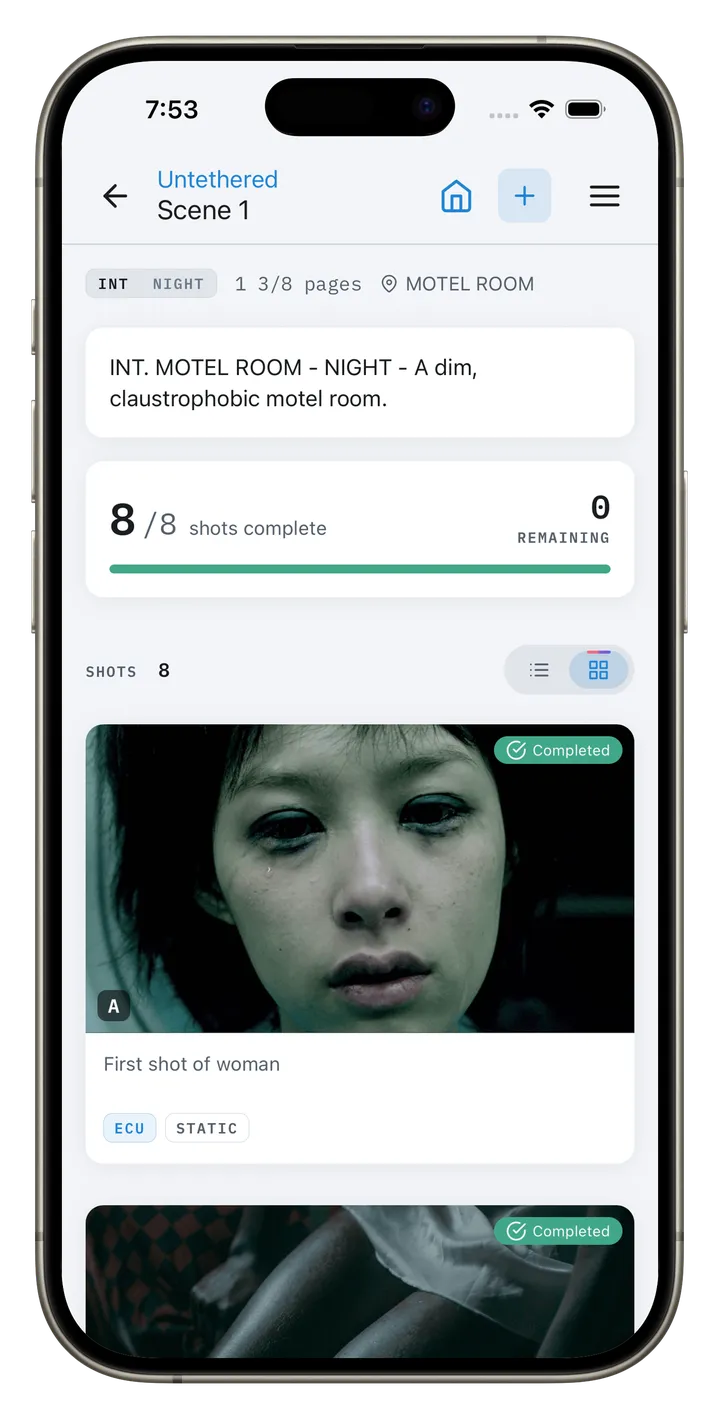
- Scene progress at a glance. Scene cards show Planned, Scheduled, In progress or Completed, worked out from the schedule and shots. Tap to change it, or set several at once.
- Follow CineFlo from Settings. Support & Easter Eggs links to CineFlo on Instagram, Threads, YouTube and Discord.
- Rate CineFlo from Settings. Support & Easter Eggs opens the App Store or Google Play listing to leave a rating, and CineFlo asks for one after an export or a sent call sheet.
- Text call times to your crew (Pro). Send each person their call time by text with the call sheet, to people who agreed to texts. They confirm with one tap or by replying CONFIRM, and can save CineFlo to their contacts so texts show the CineFlo name and logo.
- Call-time texts in more countries. Texts reach most countries, and anyone who gets one can stop them from the link in the text.
- The confirm link opens the call sheet. Cast and crew see their call time, locations with map links, the nearest hospital, the weather and the full PDF, before and after they confirm.
- Preview the call sheet email before you send it. See exactly what each person will get, with their name, call time and roles, and switch between people.
- Write to your crew in the call sheet email (Pro). When you send, add a message for everyone, or a note only one person sees in their email. Drafts are kept for next time.
- Attach files to call sheets (Pro). Send maps, photos and PDFs from Files, or upload new ones, with the call sheet email, and give each one the name the crew will see.
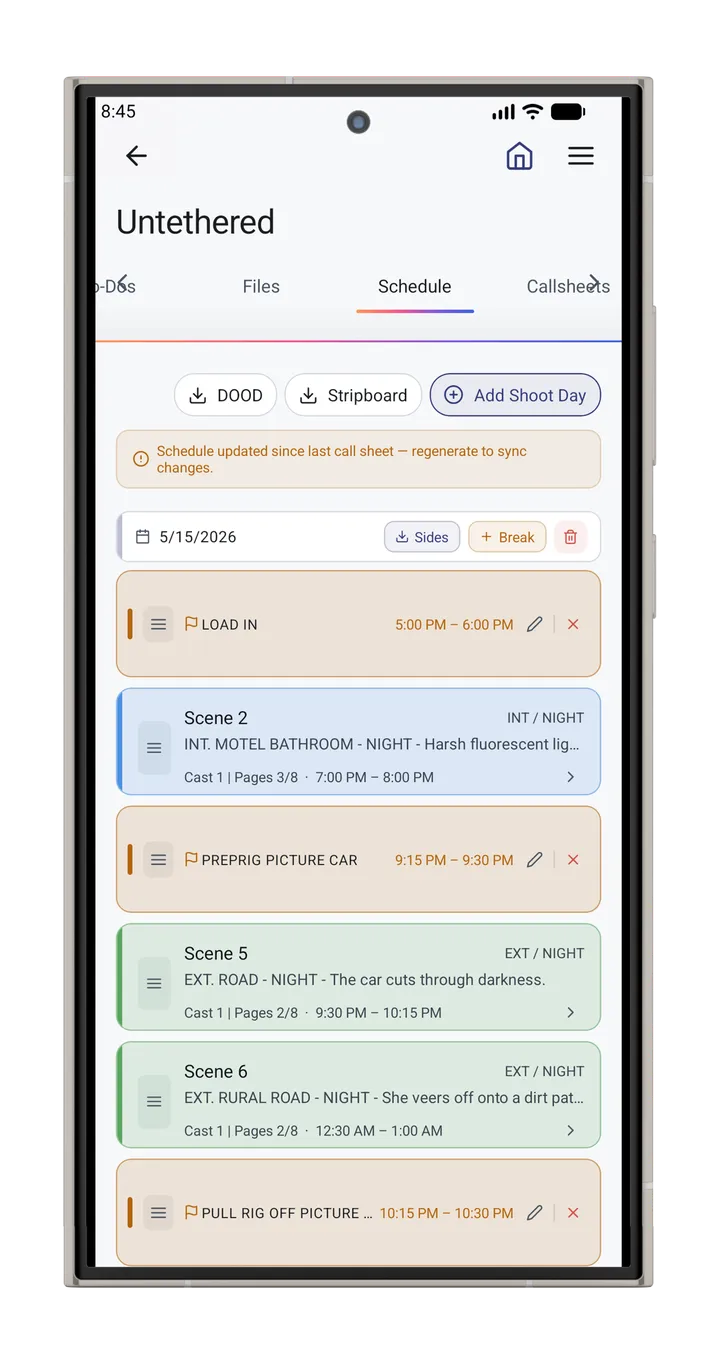
- Strip times fill themselves in. Set a day's crew call and each strip's start and end follow from its shots' estimates or pages; type a time to hold a strip there. Breaks are a length.
- Rename call sheets. Give a call sheet its own name, or rename its PDF in Files, and the name holds through every edit. Downloads are named for the sheet and its date.
- One person, more than one role. Give a contact another role, like an executive producer who is also the DP. They appear in each place on the call sheet and get one email.
- Call sheet header names your key crew. Pick the director, DP and producer from your crew in the project details. Call sheets name them, and flag anyone missing from the crew list.
- Call sheets print each scene's filming location. A scene's linked location and its address appear on the call sheet, replacing the location number on scenes. Locations without an address ask for one.
- Call sheets start from the schedule. A new call sheet takes its day number, crew call, shooting call, meal and wrap from the stripboard, without replacing anything you typed.
- Split a scene across shoot days. Choose which shots and pages shoot on each day, or drag a shot to another day; call sheets, the printed stripboard and day reports follow.
- Labels and a prep list on diagrams. Name any item, add wattage, gel, power and notes, and share the diagram's prep list as a PDF, or on a second page of the diagram PDF.
- Beam angles and field of view. Show a light's beam or a camera's field of view on a diagram, and it appears in exports and on the web.
- Cleaner diagram editor. Add, Item and Layers sit in one side panel, the top bar is just undo, redo and a menu, and brand fixtures are grouped under Lighting.
- Item options on diagrams. Pick a rag's size and fabric, a mat's grid, a track's length and more from the item panel, type a custom wall or room size, and edit a marker's text.
- Poseable crane and longer walls. Extend the telescopic crane's arm and turn the arm and camera on their own, and stretch a wall's length without making it thicker.
- Rotate with two fingers. Turn the selected diagram item by twisting two fingers on it.
- Prep details that fit the item. Wattage, gel and power show only for items they apply to.
- True-size brand fixtures. Godox, Aputure and Astera fixtures are drawn at their published sizes, including the F600Bi as a 4 x 4 ft panel.
- Modifiers on every Aputure head. The 300d, 600d, 1200d and Amaran 200x take modifiers like the STORM heads, and all of them now offer a Light Dome and a lantern.
- Move arrows and cable runs. Draw actor and camera moves, and cable runs in four shapes.
- Duplicate diagram items. Copy an item with all its settings, label and options from its panel.
- Items start with a name. New diagram items are labelled with their menu name, which you can change or clear.
- Diagrams on the web. Open a diagram in the browser as a sharp drawing with its labels and prep list, not a still image.
- Company logo on exports. Set a logo once in Settings and it prints on every PDF. A project can carry its own logo.
- Mood boards and lookbooks. Build boards for the film, a location or a character from images, notes, links and palettes, then export a lookbook PDF.
- Delete your account in the app. Manage Account now has a Delete Account section that removes your account, projects and files.
- Connected Apps (Pro). Let Claude, ChatGPT and other AI assistants read and edit your projects, with access you set per project and per tab.
- Search everything. The Recent tab is now Search, covering projects, scenes, shots, locations, to-dos, files, call sheets and more, on mobile and web.
- Coverage presets and shot-list templates. Add shots from twelve free coverage setups, or save your own shot lists as templates (Pro).
- Call sheets fill from the schedule. A call sheet for a shoot day opens with that day's scenes, shots and cast already on it.
- Clients and crew order on call sheets. Clients get their own compact section, sorted by name or by role, and crew print in the order you drag them into.
- Optional call times for clients. Give a client their own call, or leave it empty and their email, confirm page and call sheet show W/N instead of the crew call.
- Revision colors on sides. Sides show the revision banner, tint revised pages and star changed scenes.
- Assign to-dos to people. Pick an owner from the project roster and filter to your own tasks on mobile and web.
- Script import reads more. Final Draft dual dialogue, title page, revision marks and tags are read, and speaking parts are offered as cast.
- Spreadsheet import review. A shot list import shows where each scene will land before anything is written, and now works on the web.
- Stripboard dragging. On mobile, drag a scene from Unscheduled into a shoot day, and add a shoot day after the last one.
- More budget currencies. The currency list is the same on mobile and web and adds INR, VND, NGN and MXN.
- Timecode Sync in Settings. Timecode from Tentacle Sync generators leaves Experimental Tools and has its own section.
- Scene and shot number limit. Numbers are capped in length, and a project with over-long numbers is offered a repair that moves the extra text to the description.
Changed
- Requires iOS 16.4, iPadOS 16.4 or macOS 13.4. Older devices keep the version they have but no longer receive updates.
- Backup & Restore is part of CineFlo Pro. Free accounts no longer create or restore backups.
- Status pills follow your theme. Shot and scene status colors now match each app theme and stay readable in light mode.
- Brand colors match the logo. The gradient on buttons, the account card and empty project covers now uses the app icon's colors, with labels that stay easy to read.
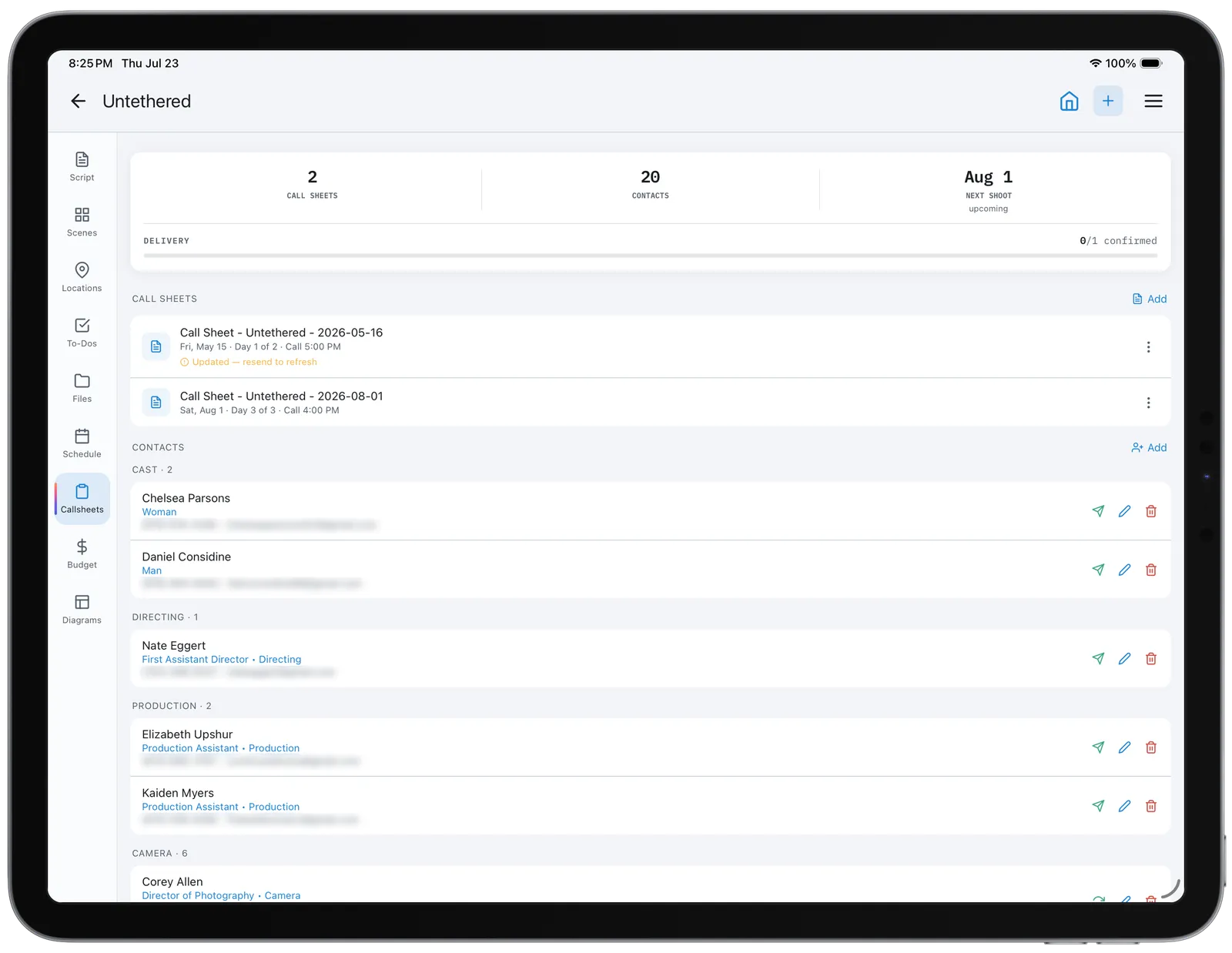
- Faster call sheets. Start a call sheet from a shoot day, see each part at a glance, set every time with a picker, and see what is still missing, like scene times or an address. Breaks show between the scenes, where they fall in the day.
- Shorter scene rows on call sheets. Long scene descriptions are cut to two lines.
- One diagram per project on the free plan. Pro has no limit. A free account that already has more diagrams keeps them all and can still edit them; only a new one needs Pro.
- Easier diagram editing. Pick any item from a layers list, zoom in further, and diagrams open fitted to their contents.
- New diagram icons. Every diagram item is now an original, sharper drawing, including Aputure, Godox and Astera lights with their modifiers. Existing diagrams update automatically.
- Redesigned call sheet header. Page one is now three columns for your logo and key people, the crew call and the weather, and is about a third shorter.
- Verified email needed to send. Sending an invite or a call sheet now needs a verified email address.
- Paywall opens in place. The subscribe screen opens over the sheet you are in and returns you there when closed.
- Consistent plan limits. Project, export and storage limits are checked the same way on mobile and web.
- Owner's branding on shared projects. Exports from a shared project carry the project owner's logo, not the collaborator's.
- Faster long lists. Long lists scroll faster, and large imports no longer redraw the project row by row.
- Welcome and plan-limit emails. If you opted in to CineFlo news, you get a short onboarding series and a note when you reach a plan or storage limit.
Fixed
- New shots reuse a deleted shot's number. Deleting the last shot in a scene and adding another no longer skips a letter or number.
- Today moves at midnight. The schedule calendar, call sheet day picker and trial countdown no longer stay on yesterday when left open overnight.
- Breakdown reports use the current title. Renaming a project and then exporting its breakdown summary no longer prints the old name.
- Names print in PDFs. Styled letters such as 🅰 or 𝐁, and accented letters like ş or ł, print as plain letters in lookbooks and reports instead of question marks.
- Budget tables on iPad. PO statuses and cost report column headings no longer break mid-word at larger text sizes.
- Assistant call sheets for split scenes. A call sheet drafted through Claude or ChatGPT calls only the shots of a split scene that shoot that day.
- Project reports export again. A shot description with a line break no longer stops the project report PDF from generating.
- Editors' progress shows on the project list. Shots an editor completes on a shared project now update its card for everyone, not only after the owner opens it.
- Project menu opens after an export. On iOS the project menu could stop opening after a PDF export's share sheet was dismissed until the app was relaunched.
- Breakdown PDFs are named after the project. Exports no longer carry the screenplay's placeholder title in the file name.
- VoiceOver reads more of the app. The Create New options, scene cards and the project header's back, home, add and menu buttons now announce themselves.
- Scouts open reliably. A scout added from Claude or ChatGPT with no notes no longer closes the scout screen.
- Call sheets open reliably. A call sheet missing its scene, cast or crew lists no longer crashes the editor.
- Clearer message for a used invite link. An invite link that has already been consumed now says so, instead of failing with an error.
- No crash after an update. On Android, the app could close right after installing an update when you returned to it.
- Call sheets reach everyone on the first send. You see each person's email go out as it sends, and a slow address or a second tap of Send no longer leaves part of the crew without it.
- Deleted projects come back whole. Restoring a project deleted in the last 30 days no longer finds its scenes, shots and other contents already removed.
- Phonebook import keeps every pick. Contacts chosen across several searches all import, and with a large address book the keyboard opens without a pause and search keeps up as you type.
- Timecode generators show up in Settings. Settings finds nearby Tentacles without a project open, keeps them listed, and remembers the one you pick.
- Call sheets carry their own name and your local time. A renamed sheet's name heads each page, and the footer's generated time is in your time zone instead of UTC.
- Buttons at the bottom of sheets stay on one line. Long labels like "Send to 12 people" no longer touch the edges or wrap while sending.
- Files uploaded on the web open in the app. They show a preview, open on phones and tablets, and can be added to mood boards.
- PDF previews for every PDF in Files. PDFs containing pictures, like maps and call sheets, now get a preview, and previews include all of the page's text.
- Restored photos and videos reach the cloud on their own. After a restore they upload like new media, retrying until they finish, so Repair Media is gone from Backup & Restore.
- Pro email lists every Pro feature. The follow-up after a Pro prompt now shows all that Pro adds and names the feature you were looking at in plain words.
- Only real confirmations count. A call sheet confirm link now opens a page with a Confirm button, so email security scanners can no longer confirm for someone who never opened it.
- Call sheet scene dates match. Scenes on the shoot day are marked as matching again, instead of those on the day before, and a split scene matches each of its days.
- Call sheet form fixes. Scene times update after filling from the schedule, Select all unticks when you remove someone, and the clients option reads "Print phone & email".
- Diagram edits always save. A single change made right after a save, such as picking a light's modifier, could show as Saved and be lost when you left the diagram.
- Diagram PDFs need Pro everywhere. The prep list PDF in the app and the diagram PDFs on the web now ask for Pro like every other PDF export.
- Dragged scenes keep their date. Dragging a scene to another day on the mobile stripboard now updates its shoot date, so call sheets and the scene page follow it.
- Item names can be cleared. Deleting an item's name on a diagram now sticks, instead of the old name coming back when you tap elsewhere.
- Diagram previews refresh after saving. A diagram's preview could show as unavailable after you saved it again.
- Signing out clears everything. Signing out no longer leaves parts of the previous account's data loaded on a shared device.
- Tab permissions cover files. A collaborator's tab permissions now apply to that tab's uploads and to PDFs and exports made on the server.
- Deleted items stay deleted. Deleted files, contacts, diagrams and schedule strips no longer reappear on mobile or affect other tabs.
- Script and spreadsheet imports. Scripts with scene numbers in both margins now import, and spreadsheet imports no longer drop columns or shots.
- PDF layout fixes. Call sheet notes no longer print over tables, long scene descriptions wrap on the shot list, and scout report notes paginate.
- Offline and poor signal. Call sheets say you are offline and open the last copy, failed uploads retry, and sign-in on Android recovers from a dropped connection.
- Budget changes save. Unlocking a budget and clearing an estimate to complete now save, and PO numbers match on mobile and web.
- Invite links on Android. Invite links open the app instead of a browser.
Security
- Sharing and server hardening. Collaborators can no longer grant themselves tab permissions, and email sending is rate limited.
1.18.1August 30, 20265 new7 fixed
New
- Contacts tab. Contacts now has its own tab after Call sheets and follows the same sharing permission.
- Tagged characters join the cast list. A tagged character gets a cast number and reaches the stripboard, day out of days and call sheets before anyone is cast.
- Drag to set billing order. Drag the cast list to change who holds which cast number, keeping any gaps in the numbering.
- Call sheet delivery status. See who received, who confirmed and who could not be reached, with a follow-up list to call, email or resend.
- Tag every scene on the web. The web script reader offers to tag a character in all its scenes at once, and web tags now reach the schedule and call sheets.
Fixed
- Dates on the web. Call sheets and task due dates no longer show a day early in some time zones.
- Stripboard cast column. The stripboard lists up to ten cast numbers per scene instead of a count, in the app, on the web and in the PDF.
- Recent projects open offline. Your five most recent projects are kept ready offline, and a tab that has not been downloaded says so.
- Offline data. Call sheets, locations, scouts and contacts are saved on the device, and browsing offline no longer resets scene and shot counts.
- Deleting a project. Deleting a project now removes its scenes, shots and files, and keeps it recoverable for 30 days.
- Cast number fixes. A cast number that is already taken swaps instead of colliding, and added characters connect to their scenes.
- Mac app keeps its data. The Mac app now keeps project data between launches, so it opens without a connection.
1.18.0August 29, 20265 new2 changed15 fixed3 security
New
- Five reports for the shoot. Daily production report, camera report, continuity log, contact sheet and wrap report, on the app and the web app.
- Subscribe from a desktop browser. The web app's pricing page is open to everyone, shows live prices and trial terms, and takes payment before you create an account.
- Welcome-back offer and offer codes. Returning subscribers see the App Store's welcome-back offer when eligible, and offer codes can be redeemed from the plans screen.
- Trial and access end dates. Settings shows when a trial becomes a subscription and how long promotional access has left. Emails now flag a failed payment or a trial about to convert.
- Focal length and equipment on shot cards. Both now show on a shot's card, on mobile and the web app, in list and thumbnail layouts.
Changed
- Exports work the same everywhere. One export chip and one document list replace six different controls, and Export Project now offers an Excel workbook in the app.
- Upgrade screen leads with the feature. It names what you were reaching for and the free trial when one is on offer. The trial is also mentioned once after your first scene or shot.
Fixed
- Updates arrive sooner. The app checks for updates when you return to it and installs them without needing two restarts. Settings shows an Update Ready row.
- Mac permissions. Tagging a scout with your location, choosing a profile photo and timecode capture over Bluetooth now ask for access properly. Add Photo replaces the camera option.
- Reference photos on shared projects. Photos added by a collaborator no longer vanish, and a deleted reference photo no longer comes back.
- Failed uploads say so. A photo or video that cannot upload shows a message with Retry, including photos still downloading from iCloud, and saving a shot mid-upload keeps its photo.
- Sharing an image into a project. Sharing to a project you have not opened on that device now lists its scenes and shots.
- Forms with the keyboard up. On iPhone and iPad the whole form stays reachable while typing, and choosing from a dropdown no longer jumps back to the last text field.
- Scripts imported as PDF. They can now be read and tagged in the Script tab on the app and the web app, and sides exports include the script text.
- Cast and crew order. Cast is listed in cast-number order everywhere, and crew contacts follow production hierarchy within each department.
- Contacts on the web app. Cards show full details instead of "Unnamed contact", and collaborators with edit access can add and edit contacts.
- Offline changes are no longer lost. A refused change no longer blocks the queue, changes keep their order, and any that cannot be sent are reported.
- Purchases and the plans screen. A purchase made just after signing in reaches your account, the plans screen retries prices, and backing out of a payment no longer shows an error.
- Plan status. Long-standing accounts keep their three free projects, granted access is no longer labelled Free User, and shared-project exports say when the owner's plan is the limit.
- Project and shot details. The production company is saved and shown, and opening a shot to edit no longer fills in another shot's camera settings.
- Clipped text. Shot descriptions on the Schedule tab are no longer cut off, equipment labels are readable on every strip, and card labels are no longer clipped mid-letter.
- Report and export fixes. Weather is back on the scout report, reports print inside the page, browser exports are named, and the budget cost report exports on a phone.
Security
- Per-tab sharing permissions enforced. Tab-by-tab access is now applied on the server. If you share projects, review each collaborator's tab access after updating.
- Sharing and plan checks tightened. Collaborators cannot widen their own access, invitations are checked against the owner's plan, and billing details are private to each account.
- Call sheet protections. Text entered into call sheets is escaped before it is emailed or displayed, and the daily sending limit can no longer be bypassed.
1.17.0August 8, 20269 new6 changed8 fixed
New
- Line-level cost tracking. Purchase orders and actual costs can be assigned to a budget line, and each line and account shows budgeted, committed, actual and remaining.
- Budget forecasting. Each line takes an Estimate to Complete, giving an Estimated Final Cost, and variance now compares the budget with that projected final cost.
- Estimate and Cost Report views. The budget's line view switches between planning figures and cost-report figures, and the account list collapses to a rail for more room.
- Budget locking. Lock a budget to keep the approved figures as a baseline and compare Original against Revised. Everything stays editable.
- Budget on a phone. Tap a category to see its departments, then its lines, with budget, spent and remaining. Building a budget still needs a larger screen.
- Cost reports on web and PDF. CineFlo Web and exported budget PDFs show the same line-level costs, forecast and variance as the app.
- Bulk scene delete. Scene selection mode offers Delete and says how many shots will go too. An empty scene now deletes with a single tap.
- Free trial on the monthly plan. Monthly now has its own trial, and a plan card only offers a trial when you are eligible for it.
- Pricing page on CineFlo Web. Compare Free and Pro side by side with local prices, with an Upgrade to Pro button for free accounts.
Changed
- Free plan, one full project. New free accounts get one project with scouts, schedules, budget, breakdown and script import unlocked. Existing free accounts keep three projects.
- What Pro adds. Pro is now the upgrade for unlimited projects, collaborators and PDF export.
- Call sheets on every project. The free plan's single call sheet limit is gone. Anyone who can edit a project can create and send its call sheets.
- Editors can invite. Editors on a shared project can create and email invite links, on mobile and web. Changing roles and removing people stays with the owner.
- Glass tab bar and headers. The tab bar and project headers use a translucent glass look in every theme, the selected tab is easier to see, and the bar grows with your text size.
- Dropdown lists. Long lists show how many options they hold, open on your current selection and offer a search box.
Fixed
- Project invites work again. Invite links that failed with a permission error now work, and invite problems are explained in plain words.
- Call sheet emails arrive with their PDF attached again, and each call sheet keeps its own PDF.
- Shared projects. Call sheet previews show the project's data, and collaborators on a Pro owner's project are no longer asked to upgrade to export or import.
- "Something went wrong" errors no longer appear on call sheets, locations and shots in new or nearly empty projects.
- Double taps no longer open a screen twice or create duplicate shots, scenes or projects.
- Script re-import no longer duplicates scenes or brings back scenes you deleted.
- Budget totals. Committed and actual figures now treat invoiced and paid purchase orders correctly, and spend not assigned to a line no longer reads as overage.
- Launch crash on Chromebooks. CineFlo launches again on Chromebooks, Windows 11 and Android emulators.
1.16.0July 23, 20266 new6 changed4 fixed
New
- Stripboard PDF export. Export the shooting schedule as a color-coded stripboard from the Schedule tab, on mobile and web.
- Redesigned location scout. A scout is now one scrolling page with a golden-hour weather panel, and the Locations tab groups scouts into color-coded boards.
- Shared Files media grid. Shared Files shows a grid of previews, with thumbnails for pasted links, call sheets and scripts.
- To-Dos by Department or Status. Switch the To-Do tab between department lists and Overdue, Today, This week, Later and Done.
- New navigation design. A floating translucent tab bar, a side rail on tablet and Mac, and large titles that collapse as you scroll.
- Storage limits per plan. Media storage is 1 GB on the free plan and 5 GB on Pro, counted against the project owner, with a meter in Settings.
Changed
- Identical PDFs on mobile and web. Day out of days, sides and call sheets now produce the same file on both, and need a connection on mobile.
- Call sheet Send now sends. The send icon saves the call sheet and opens the recipient picker. The PDF is still available from Preview.
- Redesigned Settings. Settings opens with your account, plan and storage meter, and has a search box.
- Consistent modals, forms and cards. Dialogs, create and edit forms and the main tabs share one visual style.
- Schedule drag auto-scrolls. Dragging a scene or break to the edge of the stripboard scrolls the board.
- Faster start. The app reaches the dashboard sooner after launch.
Fixed
- New shots land at the end of a scene whose shots you have reordered, instead of in the middle.
- Bulk scheduling. Scenes assigned to a shoot day together now all appear under that day at once.
- Android fixes. Address autocomplete in call sheets and the profile photo in Settings now work on Android.
- Smaller fixes. Sides pages fill to the margin, and cancelling a spreadsheet import no longer shows an error.
1.15.0July 17, 20265 new4 changed5 fixed
New
- On-set timecode (experimental). Read timecode from a Tentacle Sync generator over Bluetooth and stamp it on completed takes. It appears in CSV and PDF exports.
- Three new themes. Tungsten, Cyan and Studio join the theme list, and the theme picker now shows live previews.
- Share to CineFlo on Mac. Content can be shared into CineFlo from the macOS share sheet.
- Drag to reorder shots. Drag a shot to a new position in its scene and the shots renumber to match, with Undo.
- In-app feedback and support. Send Feedback and Contact Support open a composer in the app instead of your mail client.
Changed
- CineFlo Pro naming. Upgrade prompts and the subscription screens now say CineFlo Pro.
- Auto-numbering on by default. Automatic scene and shot numbering is on for new installs.
- Fullscreen On the Day edit. Long-pressing a shot opens the take entry fullscreen instead of in a bottom sheet.
- System light and dark on Android. The app now follows the system light or dark setting on Android.
Fixed
- Android launch crashes. Two crashes on opening the app on Android are fixed.
- Android camera, maps and sign-in. Taking a reference photo, opening a scout map and Google Sign-In now work on Android.
- Reference images across devices. An image captured on one device no longer shows as broken on another.
- Camera option on Mac. Use Camera is hidden on Mac, where it opened an unusable window.
- Tablet Settings layout. Settings cards are balanced across the two columns on large screens.
1.14.1July 8, 20261 new3 changed6 fixed2 security
New
- Real-time subscription updates. Renewals, cancellations and purchases made on another device take effect straight away.
Changed
- Choose who gets a call sheet. Send opens a recipient picker on mobile and web, separate from who appears on the sheet. On a resend it shows each person's delivery status.
- Consistent full-screen forms. Editing and form screens on phones share one full-screen layout, with the title on the left and Close and the main action on the right.
- Lighter launch. The app no longer reloads every project's scenes and shots each time it starts.
Fixed
- Resending a call sheet no longer wipes delivery records and confirmations, and confirm links in emails already delivered keep working.
- Call sheet PDF fixes. Unchecking a crew member no longer removes their role from the header, and hidden cast or crew tables no longer print.
- Cancelling a purchase is no longer treated as an error. A message appears only when a purchase really fails.
- Sign in with Apple keeps your email. Accounts left without an email can add one in Settings.
- Crash on large projects. Opening a large project and immediately backing out no longer crashes the app.
- Diagram and image fixes. The diagram grid fills wide screens, the Quick PO sheet stays on screen with the keyboard open, and shared images load for collaborators.
Security
- Project sharing hardened. Access to a shared project now requires a real invite from its owner, and invites can no longer be listed.
- Profile photos need sign-in. Profile media is no longer readable without an account.
1.14.0July 6, 202611 new6 changed4 fixed1 security
New
- Script Breakdown tab (Pro). Import a Final Draft, Fountain or PDF script, match it to your scenes, then tag cast, props, wardrobe and other elements in a screenplay reader.
- Breakdown element library (Pro). Renaming or changing a tagged element updates it in every scene, and cast elements link to cast members and fill in scene cast numbers.
- Script revisions (Pro). Re-importing a script keeps scene numbers and tags, marks removed scenes as omitted, and shows what is unchanged, changed, new or omitted.
- Breakdown reports (Pro). Export breakdown sheets as PDF or CSV filtered by category, plus Day Out of Days and script sides for a shoot day.
- Budget tab (Pro). A top sheet, accounts, line items with fringes and rate cards, purchase orders, actuals, a weekly cash flow chart and a PDF cost report.
- Filming Locations. Save named locations with an address, link scenes and scouts to them, and fill call sheet location slots from them.
- Per-tab sharing permissions. Give each collaborator view or edit access to individual tabs, or hide a tab from them.
- Bulk edit scenes. Select several scenes and set location, shoot date, story day, time of day, cast numbers or page count in one step.
- Scene setting names. The stripboard and call sheets use a scene's linked location when its setting is blank, and you can name a setting directly on a strip.
- Glossary of terms. A searchable glossary of filmmaking terms used in CineFlo, under Settings, Support.
- Scripts in Shared Files. Each imported script revision is saved to Shared Files and opens as a formatted screenplay.
Changed
- CineFlo rebrand. The app is now CineFlo everywhere, including the icon, emails, exported documents and links.
- Schedule redesign. The stripboard and calendar have a new look, empty calendar dates offer Add Shoot Day, and production breaks edit with a single tap.
- Stripboard schedules scenes only. The by-shot scheduling mode is removed, which also fixes strips landing in the wrong position after a drag.
- Call sheets follow the stripboard. Opening a call sheet pulls the latest times and breaks, and a banner warns when the schedule has changed since the last call sheet.
- Call Sheets and To-Do tabs redesigned. Both get a stats card and grouped rows, and to-dos show owner, colored due dates and completed items at the bottom.
- Faster project loading. Cached images appear immediately, including after a restart, and a project's data loads when you open it.
Fixed
- Shared project images. Collaborators no longer see missing images in projects shared with them.
- Crashes and sync errors. Fixed crashes opening large older projects and some shared projects, and sync failures for accounts with many projects.
- Shoot dates stay in sync. Scheduling or unscheduling a scene on the stripboard now updates the scene's shoot date.
- Layout fixes. Even tab spacing and project card heights on tablet, and the contact form toolbar no longer covers Cancel and Save.
Security
- Private file links. Scripts and call sheet PDFs uploaded by CineFlo no longer show or allow editing of their storage link.
1.13.0June 14, 20262 new1 changed1 fixed
New
- Script import (Pro). Import Final Draft, Fountain or PDF screenplays to create a new project, or add scenes to an existing one with duplicate scene numbers skipped.
- PDF import review. Before a PDF script is imported, review the detected scenes, edit headings, choose which to include and set the project title.
Changed
- Import Script option. Project from .FDX in the Create menu is now Import Script. Final Draft import works as before.
Fixed
- Excel import upgrade prompt. Excel import in the Create menu now checks the right plan feature and shows the correct upgrade message.
1.12.6June 12, 20261 new4 changed
New
- Trial status in Settings. Complimentary, student and promotional access is labelled by type, with days remaining and the expiry date.
Changed
- Plan limits now apply. Free and Pro plan limits and Pro-only features are now enforced.
- Actions in the header. Edit, Delete and Add buttons on shot, scene and project screens sit in the screen header on both iOS and Android.
- Save button in the header. Shot, scene and scout forms have an always-visible Save button instead of a toolbar that only appeared with the keyboard.
- Black launch screen. The app opens on a solid black screen on iOS and Android, without a white flash.
1.12.5May 11, 202610 new5 changed6 fixed
New
- Free and Pro plan limits. Location Scouts, Shared Files, Call Sheets, To-Dos, Diagrams, Schedule, sharing, PDF export and import are Pro features. Collaborators get full access in a Pro owner's project.
- Plan picker and free trial. Compare plans, subscribe or restore purchases from anywhere in the app. The annual plan shows its 14-day free trial.
- Call sheets by email. Send each cast and crew member their call time, schedule, locations, weather forecast and the PDF. Recipients confirm receipt, and replies go to the sender.
- Delivery status. Call sheet cards show how many recipients have confirmed, contacts show Sent or Confirmed, and a warning appears when a sheet changed since it was sent.
- Scene locations and production breaks. Assign each call sheet scene to a location and add breaks such as a meal break, which print as banners in the schedule.
- Expanded cast table and notes. The call sheet cast table adds status, pickup, rehearsal, set and wrap times, and notes become up to nine blocks with your own titles.
- Multi-camera shots. Enter composition and camera details per camera, A to D, in the shot editor and bulk edit. Imports, exports and PDFs include them.
- To-do department lists. Group a project's to-dos into named lists such as Art Dept, and create a list while adding a to-do.
- Diagram export and printing. Export a diagram as a landscape PDF or print it from the editor or its card, and print PDFs from the file viewer.
- Production company. Projects have a production company field, which appears on call sheets.
Changed
- Email verification required. Email and password sign-in needs a verified address, and verification and password reset links open in the app.
- Redesigned PDF exports. Storyboards, call sheets and scout reports have new layouts, with fuller weather and light times, a location column and tappable map links.
- Diagram editor. The canvas keeps a neutral paper background in every theme, moving items is smoother, and the diagram can no longer be panned out of view.
- Smoother scout sketching. Drawing on scout photos is more responsive, with smoother lines.
- Names instead of emails. To-do owners and shared project members show their display name.
Fixed
- PDF export no longer fails when text contains unusual characters.
- Call sheet PDFs show the correct date, follow the schedule's scene order, keep the crew table together, and map links no longer crash the app.
- Schedule calendar columns line up on large screens, days list all their scenes, and the unscheduled count is correct when a date is selected.
- Diagrams keep their layer order and unsaved edits, and export and thumbnail in the right orientation.
- Delete all data completes without leaving Settings or Projects stuck until a restart.
- Contacts and statistics. Contacts added from a project sync to your contact list, and Settings statistics no longer show zero owned projects.
1.12.4May 6, 20265 new6 changed5 fixed
New
- Project hero image. Give a project a widescreen image from a shot reference or an upload, position the crop, and see it on the project card.
- Black theme. A near-true-black dark theme is available in Settings.
- Camera quick-fill. Shot camera details offer a Use Last action and suggestions for lens, focal length, aperture, frame rate, ISO and white balance.
- On the Day quick edit. Long-press a shot in a scene to edit take count, circle take and roll or card number.
- New app icon and logo.
Changed
- Project cards redesigned. Cards have a cleaner layout with a compact shared badge beside the title, and a uniform height on tablet and Mac.
- Editors can invite. Editors on a shared project can create viewer and editor invite links. Changing roles and removing members stays with the owner.
- Saving exports on Mac. Exports open a desktop save dialog instead of the share sheet.
- Camera settings on new shots. New shots no longer copy the last camera settings automatically. Use Last does it when you want it.
- Call sheet notes. HMU Notes follows general notes, Set Dressing Notes is now Production Design Notes, and the PDF notes section has a clearer two-row layout.
- Stripboard readability. Strip text color adjusts to the strip's background for better contrast.
Fixed
- Exports. Cancelling an export no longer shows a success message, long-press project export works, and scene PDFs get proper filenames.
- Mac save dialog crash. Saving an exported file on Mac no longer fails.
- Call sheet PDFs include HMU Notes again.
- Keyboard in forms. Fields and buttons no longer hide behind the keyboard, and Save works on the first tap in shot forms.
- Revoked shared projects no longer cause error messages at launch.
1.12.2April 8, 20262 changed3 fixed
Changed
- Full New Shot form. Creating a shot now offers the same fields as editing one.
- Reference media actions. Add Reference Photo shows when a shot has no media, and Change, Export and Delete appear only once it does.
Fixed
- New shot reference media now syncs to your other devices.
- Crash feedback prompt no longer reappears after you tap Skip or Send Feedback.
- Shot details layout. Basic Information values keep their columns when a field such as Setup Number is empty.
1.12.1April 5, 20263 new7 changed4 fixed
New
- Mac menus. A Help menu link to the CineFlo forum and an About window with version details.
- To-do owners and due dates. To-dos can have an owner and a due date, and can be edited in place.
- Custom cameras. Choose Other in shot edit or bulk edit to type a camera that is not listed. ARRI Amira is added to the camera list.
Changed
- Scheduling rebuilt. Stripboard and calendar modes, scheduling by scene or by shot, and scenes that continue across several days.
- Stripboard colors. Strips follow industry colors for INT/EXT and DAY/NIGHT, with aligned columns.
- Shoot days. Empty days stay visible, and deleting a day moves its scenes and shots to Unscheduled.
- One date picker. Schedule, scenes, scouts, shots, to-dos and call sheets all use the same date picker, and schedule dates open it directly.
- Large-screen layouts. Tablet and Mac layouts are improved across the app, with a two-column shot detail in landscape.
- On the Day first. On the Day details sit directly under the reference image in shot detail and come first when editing.
- Scene cards. Larger reference previews, with scene type and page count that stay in place whether or not there is an image.
Fixed
- Schedule in shared projects. Schedule changes now save reliably, without dropped updates or duplicate entries.
- Schedule drag and drop. Strips can be dropped between days, at the bottom of a day and from Unscheduled.
- Schedule page counts show as pages, for example 5 instead of 40/8.
- Crashes. Fixed a schedule crash caused by cast numbers and a crash when joining a shared project from an invite link.
1.12.0April 3, 20263 new1 fixed
New
- Bulk media import. Select several files in a scene to create one shot per file.
- Video and GIF references. Shots can use videos and animated GIFs as reference media, with video previews in the shot list.
- Drag and drop on Mac. Drop media files onto a scene to create shots.
Fixed
- PDF export no longer breaks when a shot's reference is a video or GIF.
1.11.0March 29, 20262 new1 changed1 fixed
New
- Swipe between shots. Swipe left or right on shot detail to move to the previous or next shot in the scene, following the scene's sort order.
- Shot-based day planning. Plan shoot days from shots, with day plans and call sheet scenes kept consistent.
Changed
- Faster startup. The app does less work on launch and resume, and images load progressively to use less data.
Fixed
- Schedule and call sheet fixes. More reliable drag and drop in the shooting schedule, call sheet date selection and bulk shot edits.
1.10.4March 25, 20261 changed
Changed
- Depth of field calculator. Accepts aperture as 2.8, f2.8, f/2.8 or t2.8 and calculates only when inputs are valid. Adds clearer explanations of the results.
1.10.3March 23, 20261 new2 changed3 fixed
New
- Terms and privacy links. Subscription screens show Terms of Use, Privacy Policy and renewal details.
Changed
- Diopter calculator. Now shows a cine-style focus table from Native to 3 instead of manual stacked-diopter entry.
- Invite acceptance. Accepting an invite is more reliable, and retrying is safe.
Fixed
- Shared project edits. Shot status changes, deletions and bulk edits in shared projects now save to the right place.
- Opening invites. The invite screen waits for the project to load and shows a clearer message when sync is slow.
- Scene page counts now display correctly on scene cards, including a count of zero.
1.10.2March 4, 20261 changed
Changed
- Stability and maintenance improvements.
1.10.1January 14, 20265 new3 changed3 fixed1 security
New
- Thumbnail view for shots. Switch shot lists between details and large thumbnails in Settings or the scene menu. The grid uses one to three columns depending on the device.
- Shot sort toggle. Sort a scene's shots by shot number, setup number or cast number from the scene header.
- Redesigned Manage Account. Add a profile photo, see verification status, sign-in method and previous sign-in, and change your password.
- Verification email on sign-up. New accounts are sent a verification email automatically.
- Build number in Settings. App Information shows the build number next to the version.
Changed
- Profile photos and sign-in history sync across your devices and survive a reinstall.
- Scout and diagram navigation. A new scout opens straight after creation, and going back from a diagram returns to the project's Diagrams tab.
- Project cards on Android have more room, so text no longer overlaps on small screens.
Fixed
- Shared projects. Shot status changes, bulk edits and shared files save reliably for collaborators, including edits made offline.
- Thumbnail view no longer crashes when the device rotates, and shot cards line up with the scene header.
- Email verification status no longer shows verified accounts as unverified.
Security
- App verification. CineFlo's servers now check that requests come from the genuine app.
2025
1.10.0December 28, 20254 new2 changed
New
- Excel project import. Create a whole project, with its details, scenes and shots, from an Excel template you can download in the app.
- Four shot statuses. Tap a shot's status to cycle through Planned, In Progress, Completed and Needs Retake, each with its own color.
- Equipment field. Record the support used for a shot, such as Handheld, Dolly, Gimbal or Drone, when creating, editing or bulk editing.
- Cast numbers. Give cast a number per project and pick them on scenes. Call sheet PDFs show the numbers.
Changed
- Import uses Excel files. Imports now take .xlsx files instead of CSV. CSV export stays.
- Camera Angle removed. Shot types now cover every angle, so the separate field is gone.
1.9.0November 23, 20253 new4 changed6 fixed
New
- Sign in with Google and Apple. Create an account or sign in with Google on Android and with Apple on iOS.
- Storyboard PDF export. Export a six-up landscape storyboard with 16:9 frames, completion checkboxes and note lines.
- Shared badge for owners. Project cards show a Shared badge when a project has other members.
Changed
- Export options on one screen. The project export sheet lists every option without scrolling.
- Consistent navigation. Moving between Home, Project, Scene and Shot slides the same way, and back goes up one level at a time.
- Consistent PDFs. All exports share the same header, project details and footer.
- Diagrams tab appears only on tablets and computers, not on phones.
Fixed
- Shared project permissions. Role changes apply right away, viewers no longer see edit controls, and shared scenes no longer get stuck on Loading.
- Project invites. The link no longer appears twice in share messages, and owners can no longer redeem their own invite.
- Sharing images into CineFlo. The project list resets for each share, view-only projects cannot be picked, and back no longer steps through duplicate screens.
- Scout PDFs reliably include the scout's images.
- Contact import. Import and Cancel stay visible at the bottom once contacts are selected.
- Typing on Android no longer causes errors in sign-in, search and other forms.
1.8.2November 18, 20251 new1 changed2 fixed
New
- Read Only badge. Project cards show a Read Only badge when you only have viewer access.
Changed
- Read-only mode for viewers. Viewers see a read-only message when they try to create or edit, instead of running into permission errors.
Fixed
- Media in shared projects. Images and videos added by a collaborator are stored with the owner's project, so they stay available on every device.
- Project deletion removes all of the project's images and files.
1.8.1November 18, 20252 new1 changed3 fixed
New
- Members list in sharing. The sharing screen shows the owner and every member's email and role. Only the owner can invite or remove people.
- Shared badge. Project cards show a Shared badge on projects that belong to someone else.
Changed
- Offline data stays put. Saved projects, scenes and shots remain available offline and after a restart, and the Syncing screen appears only when nothing is saved yet.
Fixed
- Invites. Owners see new viewers and editors as soon as they accept.
- Shared project updates. Editors and viewers reliably receive live updates.
- Settings on launch. Theme and units no longer flash at startup, and each account keeps its own preferences offline.
1.8.0November 17, 20253 new
New
- Project sharing. Invite people with a viewer or editor link, see who has access, change roles and revoke access from Share & Manage Access.
- Invite links open the app. Tapping an invite link opens CineFlo, accepts the invite and takes you to the project.
- Shared projects update live. Projects shared with you appear automatically and stay in sync.
1.7.1November 16, 20252 new1 changed1 fixed
New
- In-app PDF viewer. Shared PDFs open inside the app instead of the browser.
- Scout thumbnails. Location scout cards and list rows show the scout's first image.
Changed
- Script import progress. Importing an FDX script shows progress through each stage, and scenes appear with full details right away without a refresh.
Fixed
- Project options menu has proper spacing below the last action.
1.7.0November 13, 20252 changed2 fixed
Changed
- Call sheet Save and Share. Save creates the PDF and adds it to the project's Shared Files. Share does the same and opens the share sheet.
- More reliable lookups. Address search, nearest hospital and weather retry on a poor connection instead of failing.
Fixed
- Call sheets. Deleted call sheets disappear right away, the shoot date shows correctly on cards, and labels no longer overlap their switches.
- Shared file titles no longer overflow the card.
1.6.1November 9, 20252 changed2 fixed
Changed
- Shot form keyboard. Next moves to the next field, opening collapsed sections as needed.
- Sync on return. CineFlo syncs as soon as it returns to the foreground, and pending changes send right after launch when online.
Fixed
- Bulk Edit Shots. Apply Changes now updates the selected shots.
- PDF export. Project and scene exports reliably include shot reference images.
1.6.0October 20, 20252 new2 changed
New
- Project To-Dos. A new To-Dos tab in each project to create, complete and delete tasks.
- New project while sharing. When sharing an image into CineFlo, create a new project and first scene without leaving the share screen.
Changed
- Scene list when sharing shows each scene's description, location type and time of day.
- Project tabs. Tabs scroll sideways on phones, are evenly spaced on tablets and show the active tab more clearly.
1.5.0October 18, 20251 changed1 fixed
Changed
- Sharing images into CineFlo. The scene list sorts in numeric order, and the new shot's number follows your shot numbering preference and avoids duplicates.
Fixed
- Share screen flash. A "page not available" screen no longer flashes when sharing an image.
1.4.1October 17, 20251 new1 changed1 fixed
New
- Share images to CineFlo. Share an image from another app, pick a project and scene, and a new shot is created with the image and opened for editing.
Changed
- Theme follows the device when no theme preference has been set.
Fixed
- CSV import. Lens, aperture, ISO, resolution, filters and notes import into the right fields.
1.3.1September 17, 20251 new1 changed1 fixed
New
- Repair Media References. A new Settings action re-uploads restored media so it appears on your other devices.
Changed
- Faster restore. Backups restore more quickly, with accurate progress and a single completion message.
Fixed
- Image reload loops. An image that cannot load shows a placeholder instead of reloading repeatedly.
1.3.0September 17, 20252 new4 changed1 fixed
New
- 1.8x anamorphic desqueeze. Tools support 1.8x and other desqueeze factors not in the list.
- Tools beta notice. A banner on the Tools tab explains that calculators are in beta and asks for feedback on incorrect results.
Changed
- Focal Length Finder rounds the recommendation to a whole millimetre and explains how to pick the closest lens in your set.
- More reliable images. Shot and scout images load from the device first, and new media is preloaded as it arrives.
- Backup and restore. Both run faster, with smoother progress and clearer messages.
- Diagrams paused. Creating and opening diagrams is temporarily unavailable while the feature is under review.
Fixed
- Desqueeze dropdown shows proper labels instead of garbled text.
1.2.0August 10, 20253 new2 changed1 fixed
New
- Overhead diagrams. Create, save, edit and delete multiple diagrams per project, synced across your devices.
- Diagrams tab on tablets. A grid with a thumbnail for each diagram. Phones reach diagrams from the overflow or create menu.
- Icon search. Search the diagram palette by icon name or category.
Changed
- Diagram editing. Drag, pinch to scale and rotate with two fingers or the handles. Rotation snaps gently near 15 degree steps, and handles are easier to grab.
- Palette sections start collapsed.
Fixed
- Diagram editor. Fixes a crash, canvas sizing and alignment, and thumbnail display.
1.1.0August 10, 20251 new1 changed
New
- Aspect ratio and resolution reference. A new tool lists matching aspect ratios and pixel dimensions for a chosen base resolution, with a short history of notable ratios.
Changed
- Consistent modals. Modals share the same header, spacing and keyboard behavior, centered on tablets and full screen on phones.
1.0.0August 9, 20256 changed
Changed
- Instant updates. Creating, editing and deleting anything shows the result immediately.
- Works offline. Changes made offline are queued and sync when you are back online.
- Live sync across devices. Changes appear on your other devices in real time.
- Video uploads. Videos save to the device first, then upload in the background with automatic retry.
- Backup and restore now cover all of your content.
- Sync Queue. Pending Changes is renamed Sync Queue, with live status, queue counts and a manual sync button.
0.9.2August 5, 20252 changed1 fixed
Changed
- Sign-in on launch. The sign-in screen appears as soon as the app opens and sizes itself to its content.
- Faster startup. The app opens straight away, without a loading screen.
Fixed
- Deleted items stay deleted. Projects, scenes, shots, scouts, files, contact roles and call sheets no longer reappear after deletion, including when deleted offline.
0.9.1August 5, 20251 new3 changed1 fixed
New
- Clear image cache. A new option in Settings removes cached images from the device so they download again when needed.
Changed
- Faster startup. The loading screen is gone, and the app opens while sign-in completes in the background.
- Faster Final Draft import. Script files are read more quickly.
- Faster images on a new device. Images load sooner after signing in on a new device.
Fixed
- Older images display again instead of failing to load once their links expire.
0.9.0August 3, 20252 new2 changed3 fixed
New
- Offline images. Shot images are saved on the device first and upload in the background when you are back online.
- Offline scout photos and videos. Location scout media works the same way and syncs across devices.
Changed
- Smaller uploads. Images are compressed before upload, and scout videos are saved at a smaller size.
- Upload progress. Image uploads show their status and recover better when they fail.
Fixed
- Duplicate uploads. An image is no longer uploaded twice.
- Deleted items no longer reappear after a sync.
- Staying signed in. Sign-in is restored reliably when the app starts.
0.8.1August 3, 20254 changed3 fixed
Changed
- Backup summary. The backup screen lists what is included, with counts of projects, scenes, shots, scouts, images and videos, and the total size.
- Automatic backup mentions removed. The backup screen no longer refers to automatic iCloud or Google Drive backups.
- Video playback. Direct video files play in the app, and other video links open in the browser.
- Vibe Calculator layout. Shoot type buttons sit four to a row at a consistent size.
Fixed
- Manual backups. Creating a backup no longer hangs or fails on large projects, and it includes all cached images.
- Settings sync. Preferences now save to your account.
- Older images display correctly again after their links expire.
0.8.0August 1, 20252 new5 changed4 fixed
New
- Scene page counts. Scenes take a page count in eighths, shown on scene cards, and Final Draft import fills it in from the script.
- Camera exposure readings. The Lighting Ratio Calculator shows the T-stop or F-stop reading for fill and background lights.
Changed
- Lighting Ratio Calculator. Ratios show the key light first, and one Calculate Ratios button sits below all three inputs.
- Vibe Calculator. Results are calculated when you tap Calculate Vibe instead of automatically.
- Pop-up sizing. Delete, options, export and tool windows size to their content and stay clear of the keyboard.
- Compact contact cards. Project contact cards take up less space.
- Scene card long-press removed. Long-press actions on scene cards are removed.
Fixed
- Grid spacing. The Projects, Tools, Recent Shots and Scene Index grids no longer leave a gap on the right.
- Scene and shot creation. Closing a form returns to the previous screen, and saving opens the new item.
- Contacts sync. Global contacts now sync across devices.
- Scout thumbnails. Scout cards show their thumbnails, and cards without one show a placeholder.
0.7.5July 30, 20251 new1 changed3 fixed
New
- Delete reference images. Remove a shot's reference image from the shot details and edit screens, and the removal syncs across devices.
Changed
- Performance. Lists of projects, scenes, shots, scouts and files scroll more smoothly, and the app starts faster.
Fixed
- Deleting items. Deletions no longer fail when the item is already gone from the cloud.
- Stability. The app stays stable when moving quickly between screens.
- Sync reliability. Offline changes sync more reliably across devices.
0.7.4July 29, 20255 changed
Changed
- Tablet layouts. Projects show four columns in landscape and two in portrait, Tools and Settings use two columns, and the create window is centered.
- Tablet detection. iPads and Android tablets are recognized more reliably.
- YouTube and Vimeo playback. Supported videos play in the app with fullscreen, and others open in the browser.
- Video file previews. Shared video files show better thumbnails.
- Simpler Scouts tab. The project description and info tiles are removed from the Scouts tab and remain on the Scenes tab.
0.7.2July 27, 20251 new3 changed1 fixed
New
- Sync status indicator. See sync status as it happens and start a sync manually.
Changed
- Tools on tablets. Every calculator and notes generator opens in a centered window on tablets with multi-column layouts, and the Tools tab uses a two-column grid.
- Simpler sync. The cloud copy is treated as the source of truth, which makes syncing across devices more reliable.
- Shooting schedule. The schedule adapts to larger screens and drag and drop works better.
Fixed
- Settings alignment. Icons and text line up in the support section.
0.6.6July 17, 20251 new1 changed1 fixed
New
- Nearest hospital lookup. Call sheets fill in the nearest hospital automatically from the location address.
Changed
- Address links in call sheet PDFs. Addresses are clickable and open in Google Maps.
Fixed
- Address autocomplete. Suggestions no longer appear behind other fields, and address lookup is more reliable.
0.6.5July 16, 20252 fixed
Fixed
- New scene form closes properly after a scene is created.
- Cast roles are no longer blank in call sheet PDFs.
0.6.4July 15, 20251 new2 fixed
New
- Call sheet wrap time. Enter a wrap time on the call sheet, and it appears in the PDF after the meal time.
Fixed
- New scene form closes properly after a scene is created.
- Cast roles are no longer blank in call sheet PDFs.
0.7.0July 12, 20251 new2 changed2 fixed
New
- Pro subscription. A monthly Pro plan unlocks Pro features, is managed from Settings, and syncs across your devices. You sign in before purchasing.
Changed
- One loading screen. Startup shows a single CineFlo loading screen.
- Cleaner Settings. The cloud sync status indicator is removed from Settings.
Fixed
- Staying signed in. You no longer have to sign in again each session.
- Icons no longer go missing from time to time.
0.6.3July 13, 20253 new1 changed3 fixed
New
- Redesigned call sheet PDF. Four address boxes, a stripboard with shot counts per scene, a cast table with characters, a two-column crew list and a notes section.
- Automatic scene selection. Call sheets pick up scenes by shoot date.
- Keyboard navigation in forms. Move between fields from a toolbar that shows your progress.
Changed
- Shooting schedule. Scenes show interior or exterior and time of day labels, and reorder with up and down arrows instead of drag and drop.
Fixed
- Schedule scrolling. The days tab scrolls without gesture conflicts.
- Shared files open correctly whether stored on the device or in the cloud.
- Blank pages no longer appear in PDFs.
0.6.2July 11, 20253 new2 fixed
New
- Saved call sheets. Call sheets are kept as editable data with cards to edit, export or delete, and are saved automatically when you generate a PDF.
- Project contacts. Manage cast and crew next to call sheets, grouped by department, with call and email actions.
- Upgrade prompts. Project limits and an upgrade screen that compares plans, in preparation for subscriptions.
Fixed
- PDF export. Export is more reliable, and filenames carry the correct date with no invalid characters.
- Contact lists show all contacts and scroll at full height.
0.6.1July 6, 20252 new2 changed2 fixed
New
- Shooting schedule. A drag-and-drop stripboard organised by date, with optional shoot dates for scenes and shots and collapsible groups.
- Pending sync indicator. See how many items are waiting to sync.
Changed
- Loading screen. Startup shows a CineFlo loading screen with progress.
- Image upload. Images upload to the cloud as soon as they are added.
Fixed
- Startup. Sign-in no longer blocks the app from opening.
- Schedule scrolling. Scrolling and drag and drop no longer glitch in the shooting schedule.
0.6.0July 5, 20253 new1 changed1 fixed
New
- Accounts. Sign up with email and password, reset your password, stay signed in and manage your account in Settings.
- Cloud sync. Projects, scenes, shots and scouts sync across devices, and changes made offline are sent when you reconnect.
- Media sync. Images and videos upload to the cloud and are available on all your devices.
Changed
- Faster startup. The app loads more quickly.
Fixed
- Navigation. Fixed problems moving between screens.
0.5.1July 4, 20254 new1 changed2 fixed
New
- Location scouts. Capture photos and videos with GPS data, add text notes and sketches, and export a landscape PDF.
- Scout weather. 15-day forecasts with magic hour and twilight times.
- Shared files. Upload files to a project and browse them as tiles with thumbnail previews.
- Keyboard navigation in forms. Move between fields from the keyboard, with duplicate checks on every form.
Changed
- Backup and restore. Backups show progress and size, work across devices and platforms, and can be manual or automatic.
Fixed
- Image capture. Captured images save correctly.
- Scout navigation no longer loops between screens.
0.5.0July 3, 20254 new1 changed1 fixed
New
- Scene diagram editor. Draw scene diagrams with LED fixtures from a built-in database and export them to PDF with technical specifications.
- Final Draft import. Import an FDX script to create a project and its scenes, with locations and time of day filled in.
- Bulk shot editing. Select several shots and update them at once.
- Saved camera settings. Your camera choice and settings are remembered between sessions.
Changed
- PDF export layout. Exports use a horizontal layout with compact type and optimized reference images.
Fixed
- Navigation and forms. Fixes to scene and shot navigation, duplicate checks and form layout.
0.4.0July 2, 20253 new2 fixed
New
- Tools. A Focal Length Finder, Cinematographer's Notes Generator and Director's Notes Generator, with shot size presets and aspect ratio support.
- Weather forecasts. 15-day forecasts with magic hour and twilight times.
- Color themes. Choose dark, light, high contrast or monochrome.
Fixed
- Navigation. Back navigation and its animation now go in the right direction.
- Layout. Several layout and spacing fixes.
0.3.0July 1, 20253 new1 fixed
New
- Project management. Create and edit projects with their scenes and shots, and export or import them.
- PDF export. Generate call sheets, project reports, scene breakdowns and technical specifications.
- Search and filters. Search across projects, filter results and return to recent items.
Fixed
- Data and navigation. Fixes for data clearing, navigation and responsiveness.
0.2.0June 30, 20252 new1 fixed
New
- Projects, scenes and shots. Organise work by project and track its scenes and shots.
- Camera database. Look up camera models, lens specifications and technical parameters.
Fixed
- Navigation. Fixed basic navigation between screens.
0.1.0June 29, 20251 new
New
- Initial release.