
Mood Boards & Lookbooks for Film
References, palettes and lookbooks, inside the project
The look of a film gets argued out in pictures long before anyone rents a lens. A mood board is where that argument happens: reference frames, a color somebody keeps coming back to, a lighting still that turned up at midnight. CineFlo keeps those boards inside the production they belong to, next to the scenes, locations and shot lists they are meant to shape, and renders them as a lookbook PDF when it is time to show the work to whoever is paying for it.
Mood Boards are part of CineFlo on iPhone, iPad, Android, Mac and the web, sitting alongside the rest of your pre-production planning.
A Board for the Film, a Location, or a Character
One board per production runs out of room quickly. How the whole picture should feel is not the same conversation as what the diner on Third Street needs to look like, and neither is the same as how a character is dressed by act three. So a board in CineFlo attaches to the project, to a location, or to a character, and a production can carry as many of them as it needs.
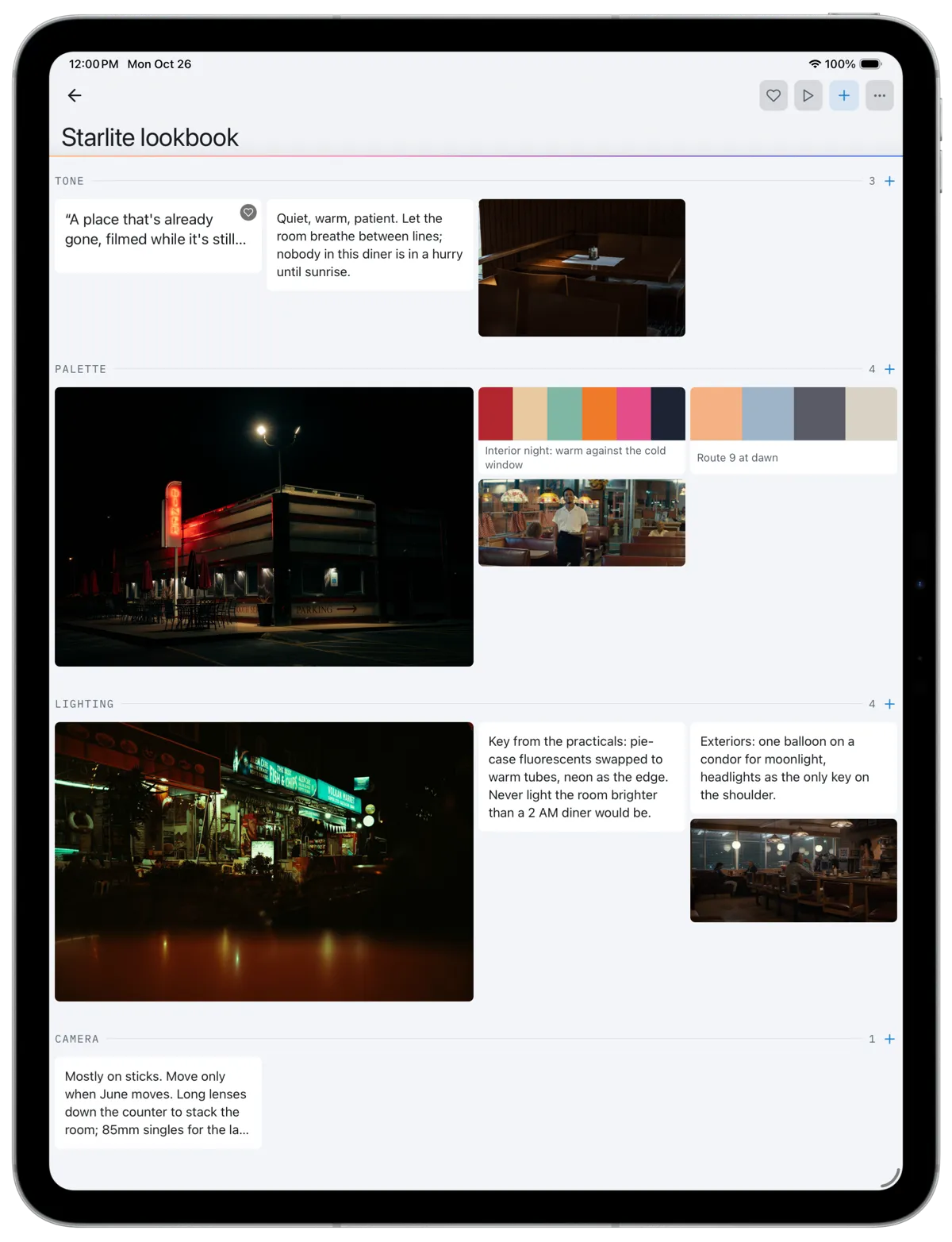
Inside a board, cards hold images, notes, links or palettes, laid out in a gallery you arrange by hand. Sections keep a long board readable, and a new one opens with the sections its subject needs: Tone, Palette, Lighting and Camera on a board for the film, Location, Lighting and Production Design on one for a location, Character, Wardrobe and Tone on one for a character. The rest are there to add whenever a board grows into them. Present mode drops the interface and puts one card on the screen at a time, which is how you show a board to a director rather than passing a phone around.
Where the References Come From
Most of what belongs on a board already exists somewhere. Add images from your photo library, or shoot them on the spot with the camera. Search Pexels inside the app and pull in licensed stock without leaving the board. Paste a link and it arrives carrying a thumbnail rather than as a bare URL nobody clicks. Anything already in the project can go on a board too: shot references, scout photos, files shared to the production. Those stay linked to the original instead of being copied, so building a board does not quietly double what you are storing.
Every image gets a palette read off it on the server, so the colors attached to a board come from the pictures themselves rather than from somebody's memory of them. Keep the ones that matter as palette cards and they travel with the board into the lookbook.
Decide the look before you get to set.
The Lookbook Is the Part You Hand Over
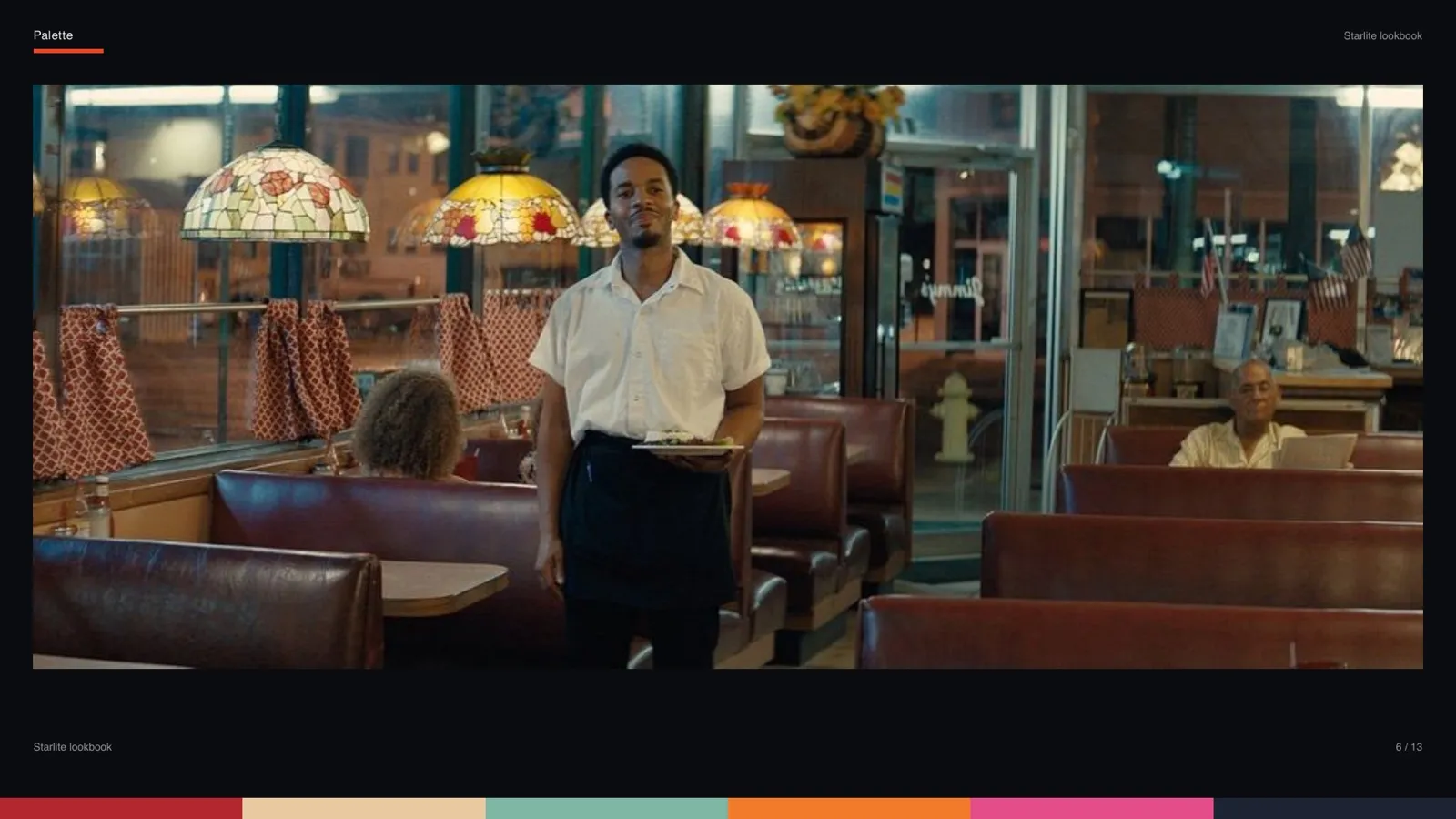
A board is for working. A lookbook is for showing, and it is often the document that gets a project financed or a director hired. CineFlo renders one straight from your boards in either of two themes. Editorial sets the images on light, tinted paper with a serif display face and wide margins. Cinematic runs near-black pages with letterboxed images, small captions and a palette strip along the bottom edge.
Choose the shape to suit where it is going: 16:9 for a screen, A4 landscape or Letter portrait for print. Narrow the export to your favorites, or to particular sections, when a treatment only needs the lighting pages. Whatever came from Pexels is credited on a sources page at the back, so the photographers are named without anyone keeping that list by hand.
The free plan includes one board and present mode, which is enough to build something and show it. A Pro subscription lifts the limit on boards and adds the lookbook export.
For the sections a film board needs and a complete worked example, see the film mood board template.
FAQs
Common Questions About Mood Boards
What a mood board does on a production, and how CineFlo builds one.
What is a mood board in film production?
A mood board collects the visual references a director, cinematographer or production designer uses to agree on how a film should look before anyone shoots it: frames from other films, photographs, color, texture, lighting. It is a working document rather than a deliverable. Things go on it, get argued about, and come off again. In CineFlo the board lives inside the project, so those references sit alongside the scenes, locations and shot lists they exist to shape.
Can I make separate mood boards for locations and characters?
Yes. A board attaches to the whole film, to a single location, or to a character. The free plan covers one board per project; Pro lifts the limit, so a production can run as many as it needs.
Where do the images on a CineFlo mood board come from?
Five places:
Your photo library
The camera on the device you are holding
A Pexels search inside the app, for licensed stock
A pasted link, which arrives with a thumbnail
Media already in the project: shot references, scout photos and files shared to the production
Project media is linked rather than copied, so putting a scout photo on a board does not store the same picture twice.
What is a lookbook, and how is it different from a mood board?
A mood board is for working out the look. A lookbook is the document you hand to a producer, a client or a financier. CineFlo builds it from your boards as a PDF, in an Editorial theme or a Cinematic one, at 16:9, A4 landscape or Letter portrait. You can limit it to your favorites or to particular sections, and anything sourced from Pexels is credited on a sources page at the back.
Do I need a Pro subscription to use Mood Boards?
No. The free plan includes one mood board, present mode included, so you can build a board and show it to somebody. A Pro subscription removes the limit on how many boards a production can have and adds the lookbook PDF export. Mood Boards are available on iPhone, iPad, Android, Mac and the web.