
Home / Guides / How to Do a Script Breakdown
How to Do a Script Breakdown
A script breakdown is the process of reading a screenplay scene by scene and tagging every element the production has to supply — cast, extras, props, wardrobe, vehicles, stunts, effects, sound — then measuring each scene in eighths of a page. The output is one breakdown sheet per scene.
The breakdown is not the deliverable. The schedule and the budget are the deliverables, and the breakdown is the only document that produces both. That is the part most guides leave out: they list the element categories, show you a color chart, and stop at the sheet. This one carries the arithmetic through to a day count and a cost, and then covers how to check a breakdown a machine produced for you, because that is now how many of them get made.
What a Script Breakdown Includes
Every breakdown sheet covers one scene and records:
- The scene number, and whether it is INT or EXT, where it is set, and day or night. Those four facts decide which scenes can be shot together.
- The page count in eighths.
- A one-line synopsis, so the sheet is readable without the script.
- Numbered cast with speaking parts, and a count of background.
- Every physical element a department has to supply: props, wardrobe, makeup and hair, vehicles, animals, greenery, set dressing.
- Every specialist element: stunts, special effects, visual effects, weapons, music, sound.
- Notes, for anything that will cost time or money and has no column of its own.
The categories exist because each maps to a department with its own budget line and its own lead time. Atmosphere is tagged separately from cast not out of pedantry but because extras are booked and paid differently.
Who Does the Breakdown, and When
On a scripted production the 1st AD owns the breakdown, and it happens the moment the script is locked and scene-numbered. The line producer or UPM works from it to build the budget, sometimes doing a parallel pass of their own.
On smaller productions the producer or director does it. The work does not change; only the number of people arguing about it does.
It comes before the schedule, before the budget, before the shot list, and before location scouting, because all four depend on knowing what the script actually asks for. A shot list describes how you will cover a scene; the breakdown describes what the scene requires to exist at all.
Step 1: Lock the Script and Number the Scenes
Every scene heading gets a number, and those numbers do not change afterwards. When the script is revised post-lock, new scenes get letter suffixes — 14A between 14 and 15 — and deleted scenes keep their number with the word OMITTED, so that nobody's paperwork silently shifts underneath them.
Breaking down an unlocked script means doing it twice. Wait for the lock.
Step 2: Measure the Scenes in Eighths
A script page is divided into eight equal parts. On a standard US Letter or A4 script page each eighth is roughly one inch of page height.
A scene's length is written as eighths of a page: a scene taking three of those bands is 3/8. Scenes over a page are written as pages plus eighths — a scene running two pages and five bands is 2 5/8.
Two conventions that trip people up:
- Any scene shorter than an eighth still counts as 1/8. There is no zero.
- Eighths do not roll over at 8/8. You write 1 0/8, because the page count and the eighths are separate figures.
Why bother? Because a page of screenplay is a rough proxy for a minute of screen time, and eighths give the schedule a unit finer than a page to work with. A day is planned in eighths, not in scenes — five short scenes in one location may be a lighter day than a single long one that moves three times.
Step 3: Tag the Elements
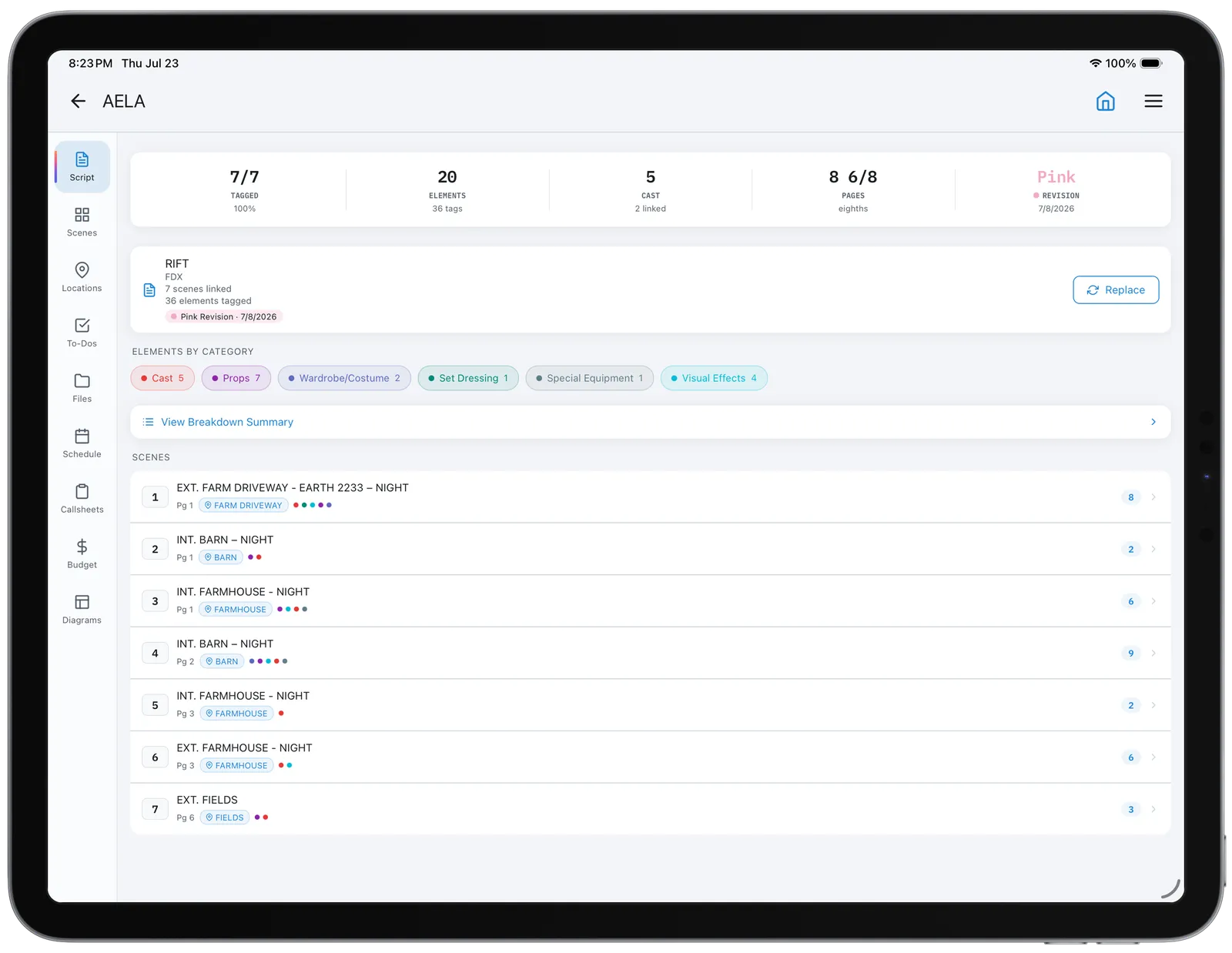
Read the scene and mark every noun the production has to provide. Traditionally this is done with colored highlighters on a printed script; software does the same thing with tags.
The discipline that matters: tag what is required, not what is described. If the script says "he pours a whiskey," the props department needs a bottle, a glass, and a liquid that photographs as whiskey. If it says "the room is filled with the detritus of a long marriage," that is set dressing and needs a conversation, not a tag on the word "detritus."
Ambiguity is the enemy. Two people tagging the same scene should produce the same list, and the fastest way to check whether they will is to have them both do scene one and compare.
The Color Code, and Why It Is Less Standard Than You Have Been Told
The commonly cited mapping:
| Color | Element |
|---|---|
| Red | Cast with speaking parts |
| Yellow | Extras / background |
| Orange | Stunts |
| Purple | Props |
| Green | Wardrobe |
| Blue | Special effects |
| Pink | Vehicles and animals |
| Brown | Sound |
Wardrobe is often circled rather than highlighted, and makeup and hair marked with an asterisk.
Here is the part other guides omit. That mapping is frequently described as an industry standard unchanged since the 1970s. But StudioBinder's own reference page states plainly that the specific colors can vary, and lists only four assignments, treating the scheme as something each production or tool chooses rather than something fixed.
Both are credible sources and they disagree. The practical reading: the mapping above is a widely shared convention you can assume most crew will recognize, but it is not enforced, and breakdown software often ships its own palette. Put your legend on the breakdown sheet. A color key costs one line and removes the question entirely.
Step 4: Fill the Breakdown Sheet
One sheet per scene. A standard blank form carries the scene header across the top, the page count in eighths, and then a grid of element boxes by category.
Two habits worth forming:
- Write the synopsis line even when it feels redundant. Three weeks later, in a scheduling session, nobody wants to reopen the script to remember what scene 47 was.
- Record the source page for anything expensive. When a producer challenges a cost, the answer should be a page number, not a memory.
Step 5: Turn Eighths Into Shoot Days
This is the step competing guides skip, and it is the reason the breakdown exists.
Total your eighths across the script. A 100-page feature is 800 eighths. Then apply a daily rate — how many eighths your production can realistically shoot in a day. That figure comes from the kind of show you are making, not from a formula.
| Production type | Rough eighths per day | What drives it |
|---|---|---|
| Studio feature, heavy coverage | 8–16 (1–2 pages) | Setups, cast availability, VFX plates |
| Independent feature | 24–40 (3–5 pages) | Crew size and location moves |
| Episodic television | 40–56 (5–7 pages) | Standing sets and a practised crew |
| Multi-camera | 80+ (10+ pages) | Locked-off setups, minimal relighting |
Divide total eighths by the daily rate and you have a first day count. That number is the first honest thing anyone can say about what the film costs.
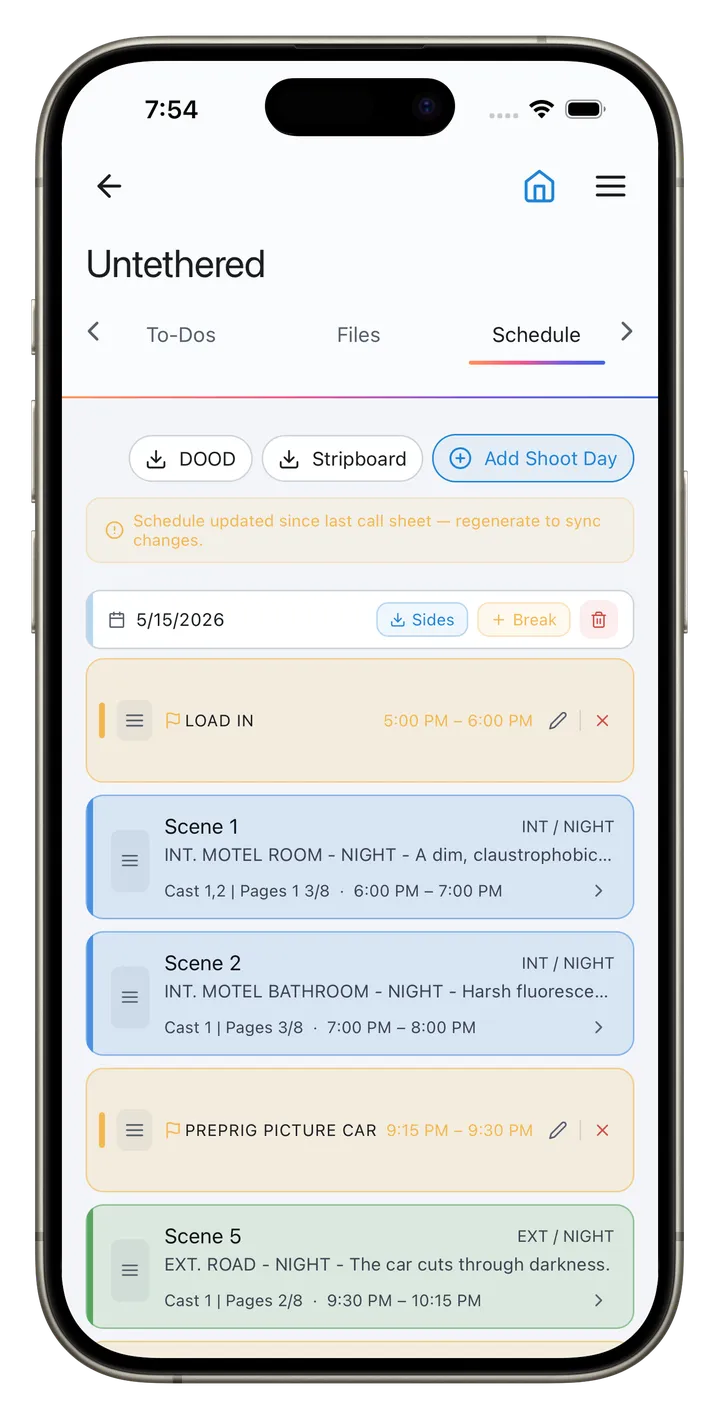
Then adjust for what eighths cannot see: company moves, night shoots, child actors' restricted hours, stunt rehearsal, animals, and any scene where a single element dominates the day. Eighths measure page real estate, not difficulty. A 1/8 scene of a car flipping is not a fast morning. A stripboard that times each strip from its pages does this arithmetic as you board the days.
Step 6: Turn Elements Into a Budget
Sort the tagged elements by category across the whole script rather than by scene, and each category becomes a budget conversation:
- Cast: total speaking parts, and for each, how many days they work. This is where day-player versus weekly gets decided.
- Extras: total background days, a single line that moves fast.
- Props and wardrobe: the count tells you whether you need a dedicated department or one person with a van.
- Vehicles, animals, stunts and effects: each is a specialist and a lead time before it is a cost.
- Locations: INT/EXT plus location, sorted, tells you how many places you are going and therefore how many company moves you are paying for.
The breakdown is what converts a screenplay into a list of things that can be priced. Nothing else in pre-production does that.
Checking an AI-Generated Breakdown
Automated breakdown tools now tag a script in minutes, and script breakdown AI is a live search category. They are genuinely useful and they are wrong in predictable ways. Filmustage is one of the dedicated ones, and CineFlo vs Filmustage compares the approaches. Machine tagging works from the words on the page, and a breakdown is about what the words imply.
A verification pass, in the order failures actually appear:
- Implied elements. "She flinches at the sound" implies a sound effect and possibly an off-screen prop, with nothing to highlight. Machines miss what is not named.
- Character name drift. A character called MARIA in scene 1 and MRS. OKONKWO in scene 40 becomes two cast members. Check the cast list length against your own count.
- Props against set dressing. If an actor touches it, it is a prop; if it sits there, it is dressing. Different budgets, different departments, routinely confused.
- Descriptive nouns tagged as requirements. "A childhood of broken promises" is not a prop.
- Eighths on irregular pages. Unusual formatting, dual-column pages or heavy revision marks produce bad measurements.
- Scene count. Compare the tool's total against the script's last scene number. A mismatch means it mis-parsed a heading, and every downstream number is wrong.
Treat the machine output as a first pass by a capable assistant who has never been on a set: fast, thorough on the literal, blind to the implied.
Commercials, Music Videos and Documentaries
- On commercials there is often no script in the screenplay sense, but there is a board. Break down per frame instead of per scene, and add a client-approval state to each element, because approval is a scheduling dependency as real as a location permit.
- On music videos eighths do not apply, since there are no pages. Break the track down by timecode range and treat each section as a scene. Element tagging is unchanged.
- On documentaries you cannot break down what has not happened, so you break down the shoot plan instead. Each planned interview, location and sequence gets a sheet listing what you must bring and secure. Releases and access permissions belong in the element list, because they behave like props with lead times.
Terms used here: stripboard, page count (eighths), day out of days.
Frequently Asked Questions
How do you do a script breakdown?
Lock and number the script, measure each scene in eighths of a page, tag every element the production must supply, record each scene on a breakdown sheet, then total the eighths into a day count and the elements into a budget. The tagging is the visible work; the totalling is the point.
What does a script breakdown include?
Scene number, INT/EXT, location, day or night, page count in eighths, a one-line synopsis, numbered speaking cast, extras count, and every prop, costume, makeup, vehicle, animal, stunt, effect, and sound element the scene requires.
How do you break down a script into 8ths?
Divide each script page into eight equal horizontal bands — roughly one inch each on a standard page — and record how many bands a scene occupies. Any scene shorter than one band still counts as 1/8, and eighths never reach 8/8; at a full page you write 1 0/8.
How do you break down a script for a budget?
Do the normal breakdown, then re-sort the tagged elements by category across the whole script instead of by scene. Total speaking parts and their working days, total background days, and count props, vehicles, stunts and effects. Each category total is a budget line.
How do you break down a script as an actor?
An actor's breakdown is a different document with the same name: you mark your character's objectives, obstacles, beats and relationships scene by scene. It shares no columns with a production breakdown. If you are being asked for one on a production, confirm which is meant.
Does Final Draft have script breakdown?
Final Draft includes tagging features for marking script elements, which export for use in scheduling software. Check the capabilities of your specific version before planning a workflow around it, since they have changed across releases.
What does a script breakdown look like?
One page per scene: a header strip with scene number, INT/EXT, set, day/night and page count, then a grid of boxes grouped by element category, each listing the specific items that scene requires.
How long does a script breakdown take?
For a first-time breakdown of a feature, budget several days of focused work; an experienced 1st AD with familiar material moves considerably faster. The variable is not reading speed but how many ambiguities need resolving with the director.
Key Takeaways
- A script breakdown tags every element a script requires and measures each scene in eighths. Its purpose is to produce the schedule and the budget, not the sheet.
- Lock and number the script first. Breaking down an unlocked script means doing it twice.
- Anything under an eighth counts as 1/8, and eighths never reach 8/8 — a full page is 1 0/8.
- The color code is a convention, not an enforced standard — credible sources disagree, so put your legend on the sheet.
- Total eighths divided by eighths-per-day gives a first day count, then adjust for company moves, night work and difficulty that page count cannot see.
- Re-sorting elements by category across the whole script is what turns a screenplay into a priceable list.
- AI tagging misses implied elements, drifts on character names, and confuses props with set dressing. Verify in that order.